For most people, Smarters Player Lite. It is free, it is in Apple's own App Store, and it accepts both kinds of login we hand out. Below is why we recommend it, two paid alternatives worth knowing about, and the full setup with EyePTV — six steps, about five minutes.
All of these are players, not services. None of them include channels — they play the login your provider gives you. All three work with EyePTV.
The one we set customers up on. It is free, it takes either kind of login we send, and it is straightforward enough that most people finish without messaging us. The interface is plain rather than pretty, and that is the trade-off.
A more polished, Apple-native interface with multiple playlists, better guide handling and sync across your devices. Worth the money if you use IPTV daily and the plain interface bothers you.
Around for years and well regarded on tvOS. A reasonable second choice if IPTVX does not suit you or is not available in your country's store.
Whichever you choose, check the minimum tvOS version on the App Store listing before you buy — some newer players need tvOS 18 or later and will not install on an older Apple TV HD. Smarters Player Lite runs on tvOS 12 and up, which is why it is our default recommendation.
Check which Apple TV you have. This needs an Apple TV HD or Apple TV 4K running tvOS 12 or later. The 3rd generation Apple TV has no App Store and cannot install new apps at all — nothing in this guide will work on it, and no IPTV service can change that. If yours is the older silver-and-black box, message us and we'll suggest something cheap that will work on the same TV.
Running tvOS 12.0 or later, with the App Store available on the home screen.
Signed in and online so you can download from the App Store.
Server URL, username and password. An M3U link also works — see below.
Smarters Player Lite is the player; EyePTV is the service that supplies your channels. Apple's own App Store listing says the app does not provide, host or sell any TV channels — it plays whatever login you give it, which in your case is ours.
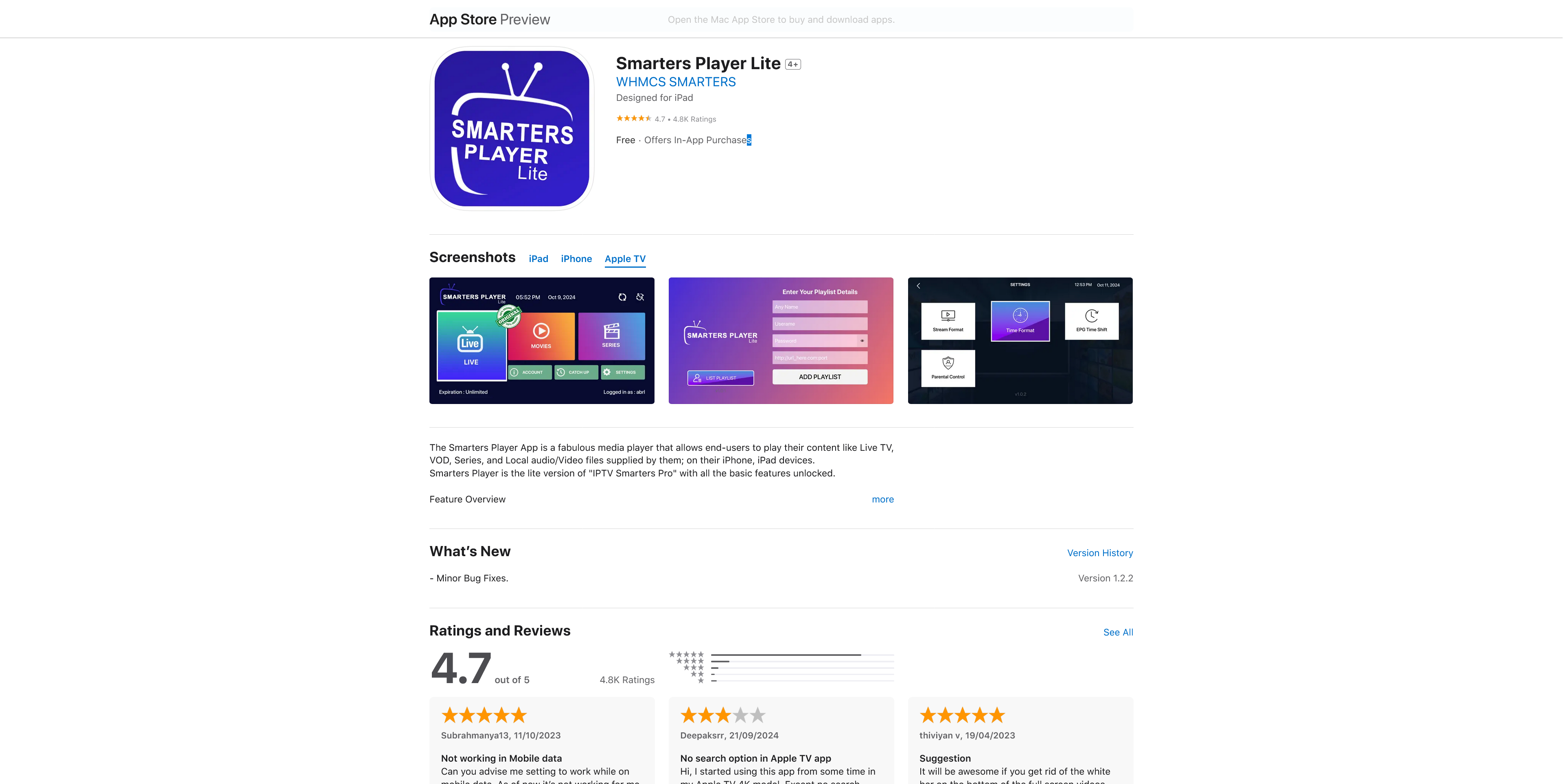
From the Apple TV home screen open the App Store, select Search and type Smarters Player Lite.

Open the Smarters Player Lite result and check the developer reads WHMCS SMARTERS. Select Get to install it.
Select Open. If the app shows its terms of use on first launch, read them and continue as prompted.
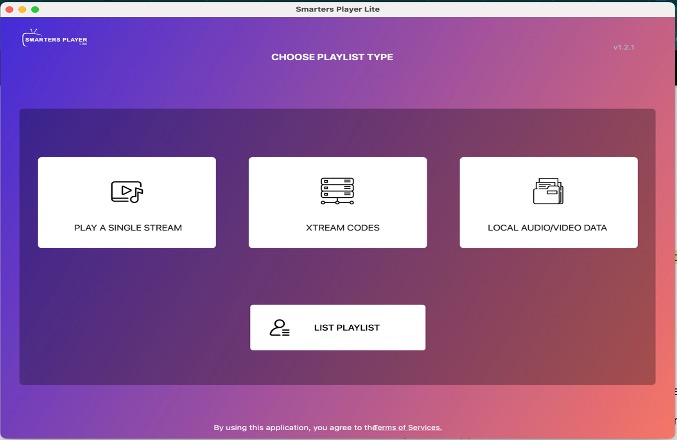
On the playlist-type screen select XTREAM CODES. This is the setup we recommend on Apple TV whenever we have sent you a server URL, a username and a password.
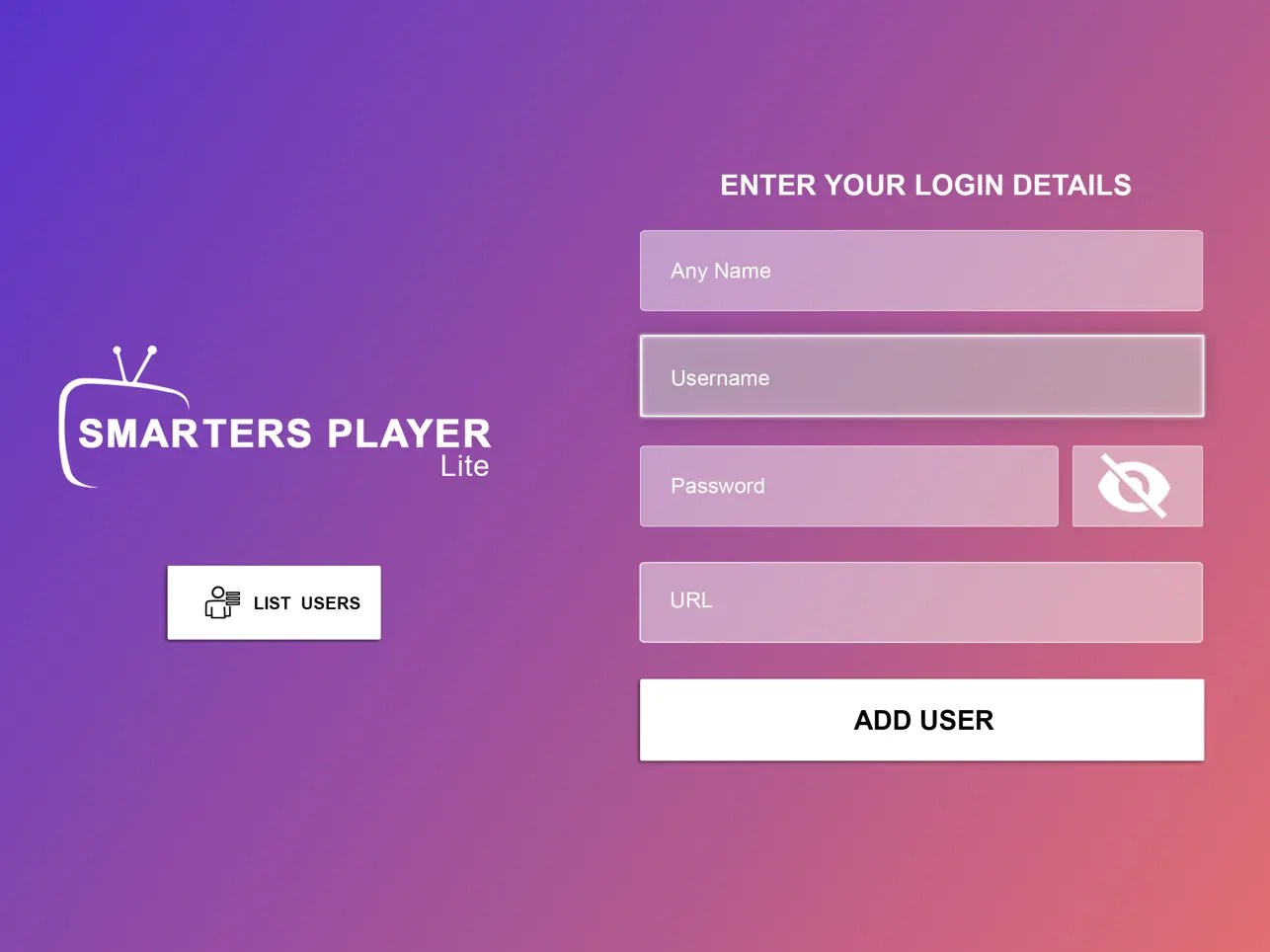
Fill the four fields exactly as we sent them: Any Name — type EyePTV. Username, Password and URL — the server or portal address.
Select ADD USER, then leave the app open while it checks the login and downloads your playlist. Don't close it partway through.
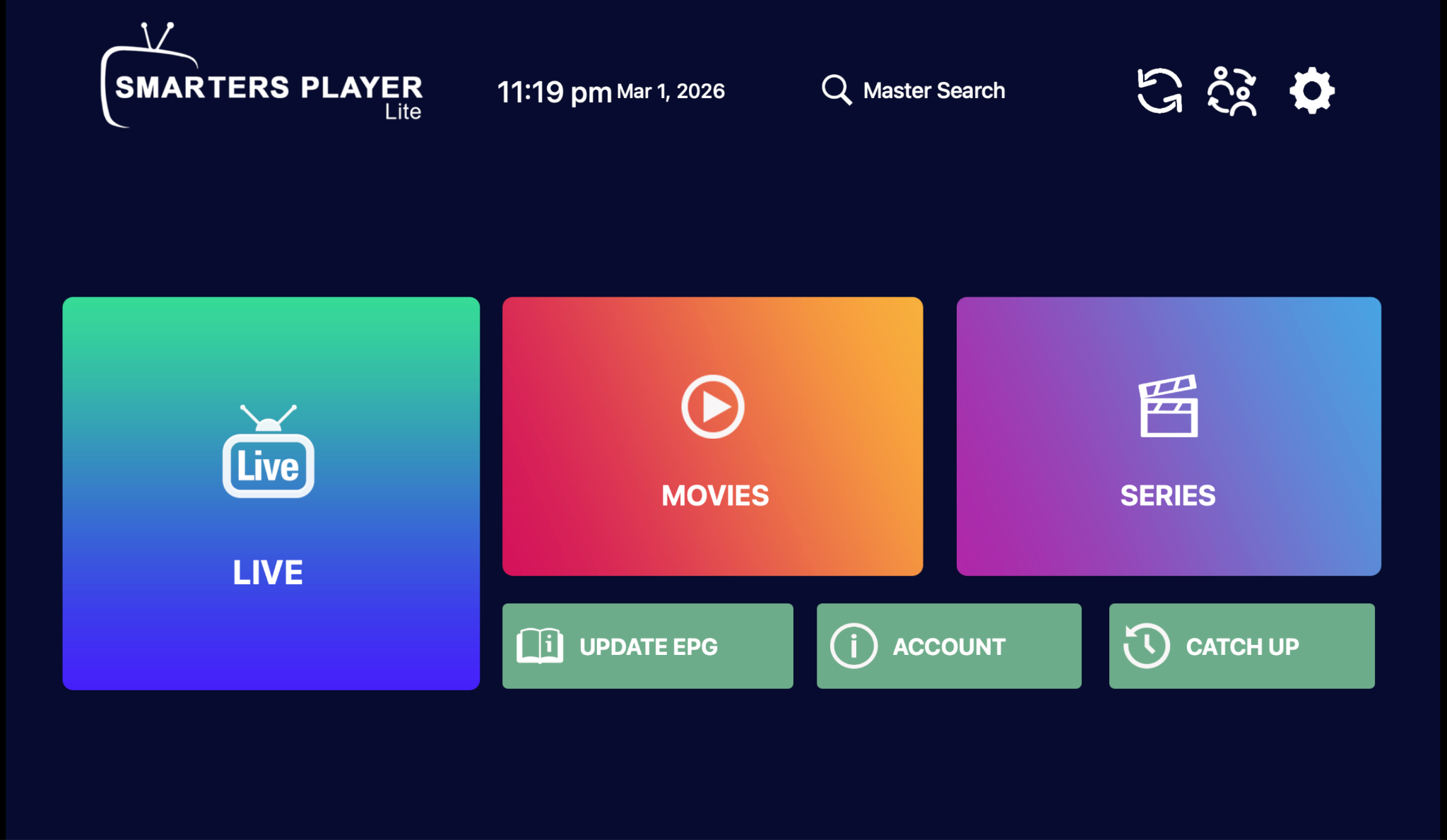
The dashboard loads with Live, Movies, Series, Update EPG and Account. Pick a section and browse with the Apple TV remote. That's you set up.
Some EyePTV setups come as one long playlist link rather than three separate values. Smarters Player Lite supports that too — Apple's App Store listing confirms M3U playlist support. On the playlist-type screen choose the playlist / M3U option instead of Xtream Codes, and paste the URL exactly as we sent it.
Where you have the choice, Xtream Codes is the tidier setup on Apple TV: it usually pulls the TV guide in on its own and it is easier to re-enter if you ever reinstall.
The four things that go wrong on Apple TV, and how to fix them.
Search the exact name Smarters Player Lite and check the developer is WHMCS SMARTERS. Availability varies by country. If your Apple TV has no App Store at all, it's a 3rd generation model and cannot install apps.
Check every character of the server URL, username and password, and look for a space at the start or end — the Apple TV keyboard adds them easily. Use exactly the http or https and the port number we sent you; changing either breaks it.
Restart the app and use its refresh or Update EPG option. If it still loads empty, send us a screenshot of the Account screen and we'll check the details against your subscription.
Apple TV 4K outputs at whatever your TV negotiates. If picture quality is fine but playback stalls, test on Wi-Fi 5 GHz or wired Ethernet before assuming it's the service — 4K needs a steady 25 Mbps.
Send us a photo of your TV screen on WhatsApp. Tell us your Apple TV model and whether you're using Xtream Codes or M3U.
Get help on WhatsAppThe screenshots on this page come from public pages showing the real Smarters Player Lite interface; each credits its source underneath. None are AI-generated. Screens vary by app version. App Store listing checked August 2026 (developer WHMCS SMARTERS, tvOS 12.0 or later, M3U and Xtream Codes supported).