Three players work well with EyePTV on Android. Pick one — you don't need all three. If you have no reason to prefer another, use Smarters Pro: it installs from the Play Store and takes your login directly in the app, with no browser step in the middle.
All three are players. None include channels — they play the login we give you. Pick whichever suits, then follow only that option below.
The least friction of the three. Install from Google Play, tap Xtream Codes, type your details, done. No web portal, no device key, no sideloading. This is what we set most customers up on.
Worth it only if you already hold an IBO licence from a TV or box, since the same account carries over. Otherwise it is more work: you install the file manually and add the playlist through a website rather than in the app.
A reasonable middle ground if Smarters doesn't suit you. Installs from Play, but the playlist still goes on through a website using the device MAC, so it's an extra step either way.
The steps below restart at 1 for each option. That's deliberate — follow one set from start to finish and ignore the other two. Installing all three won't help and will just confuse which one is actually connected to your account.
Open the Google Play Store and search for Smarters Pro - Mobile, the current official Tech Smarters app. The package name is com.smarters.smarterspro if you want to be certain.
Select Install. Nothing to sideload and no browser step.
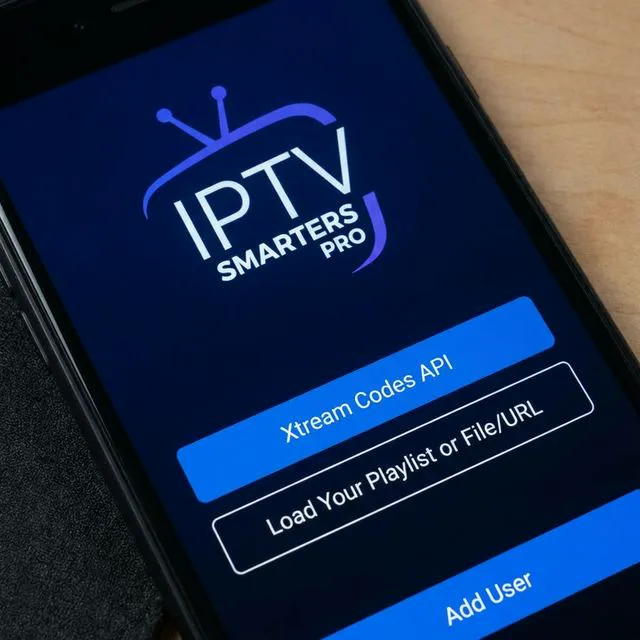
Open the app and pick Login with Xtream Codes API.

Any Name: type EyePTV. Then your Username, Password and Server URL, exactly as we sent them. Select Add User.
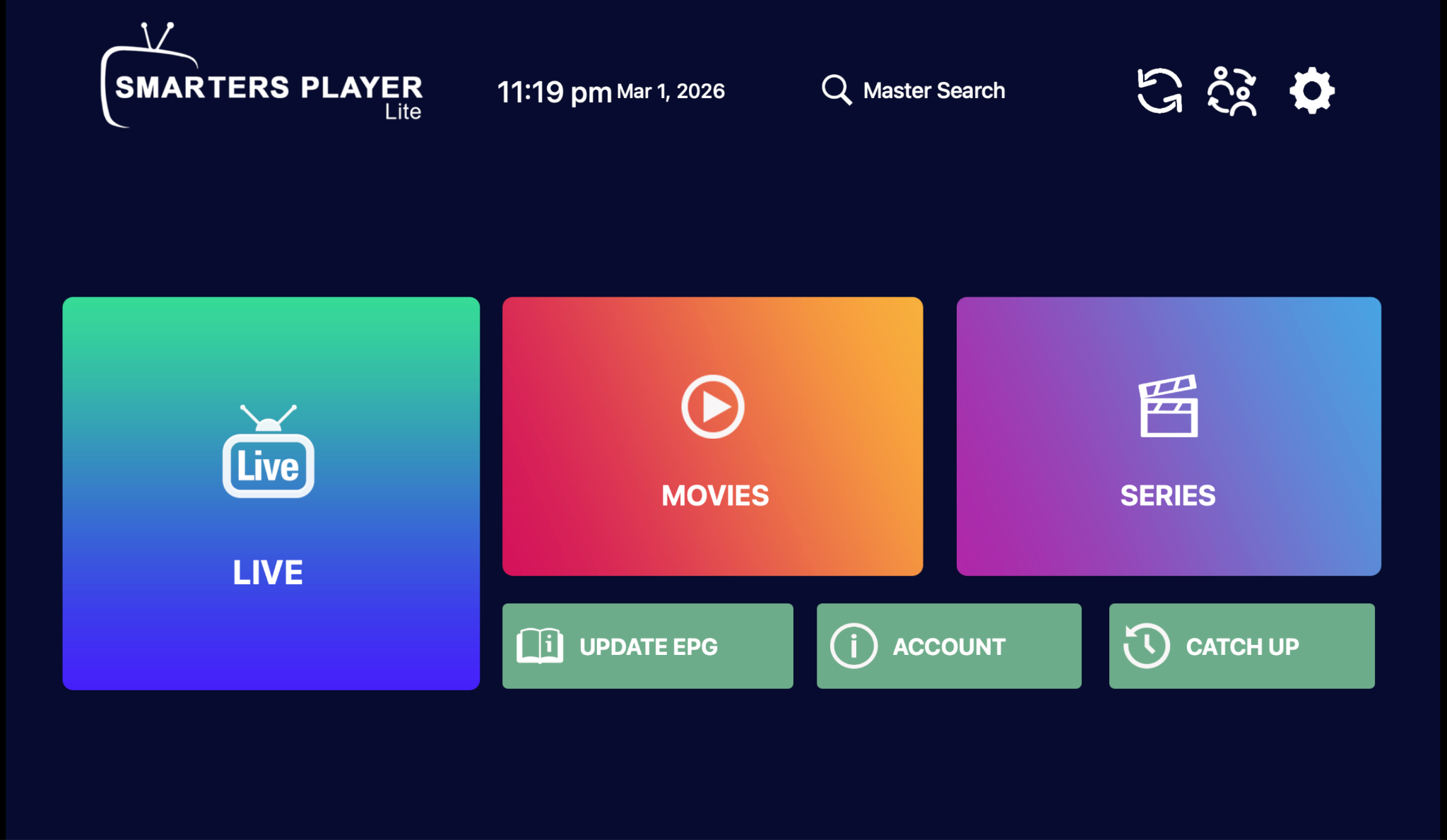
The app downloads your content and opens on a dashboard with Live TV, Movies, Series, Search, Favourites and the EPG.
Turn the phone sideways for full-screen playback. Done.
Open iboproapp.com on the phone and download the Android app file, then open it and select Install. Android will ask you to allow installs from your browser — allow it, then switch that permission back off afterwards.
Worth doing only if you already hold an IBO licence from another device. Otherwise Option 1 is less work.
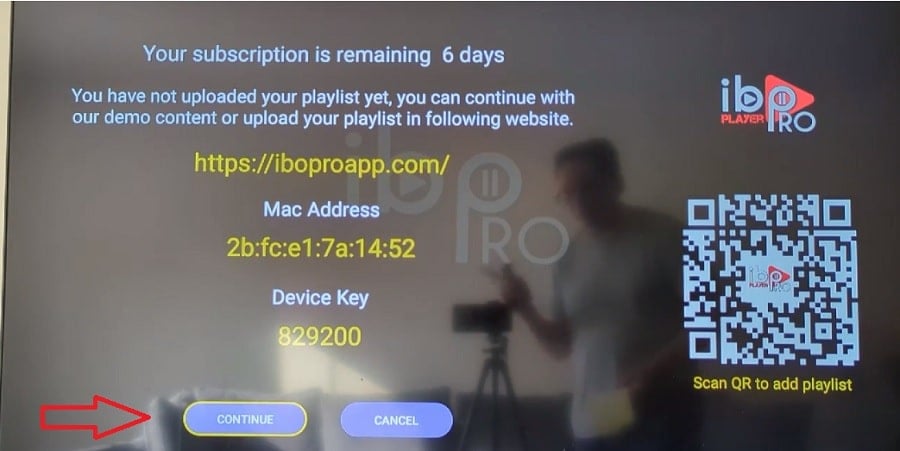
Open the app and write down both values it shows. Keep them private — they work like a password for your player.
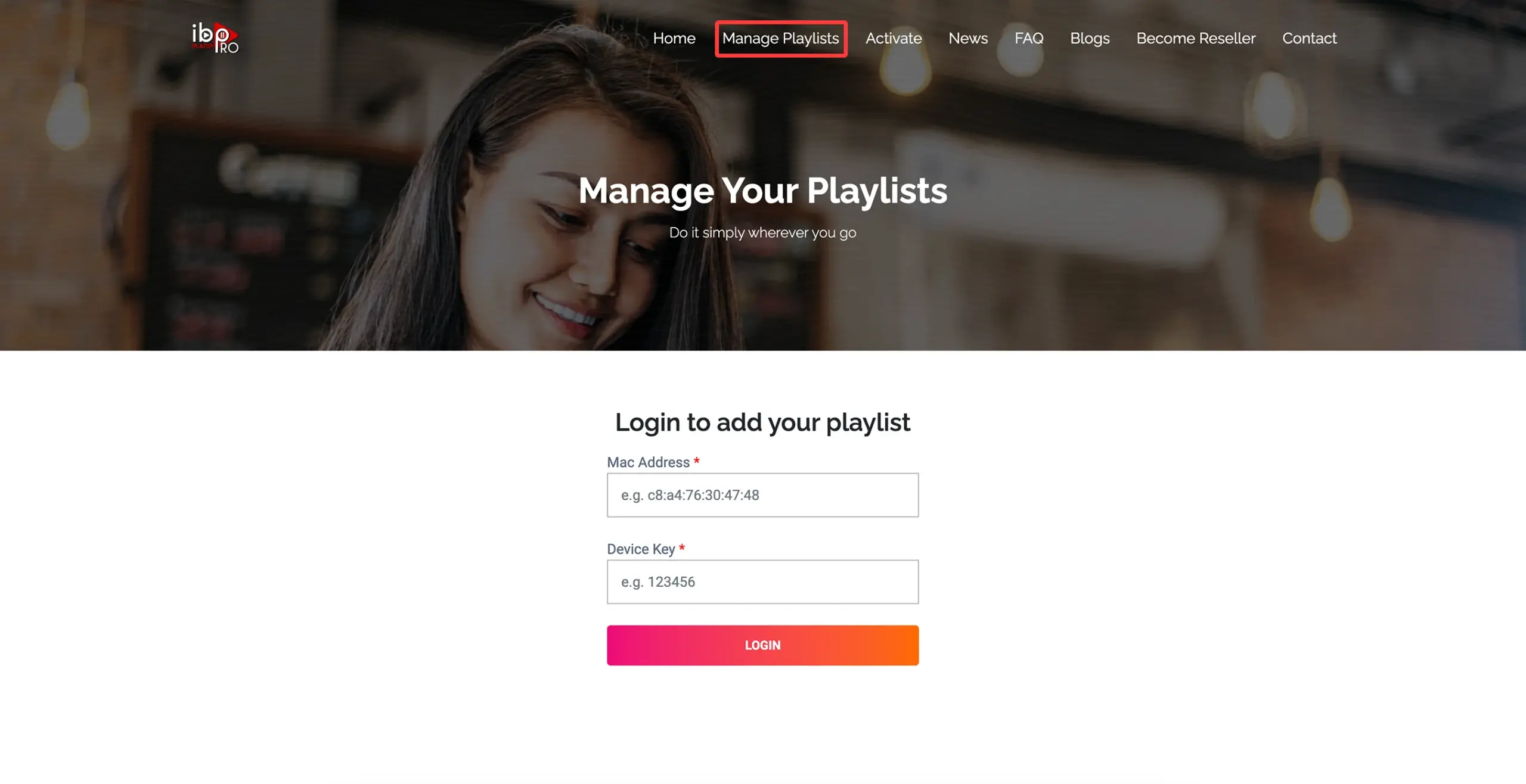
In a browser — same phone is fine — open the management page the app displays on screen, and sign in with those two values.
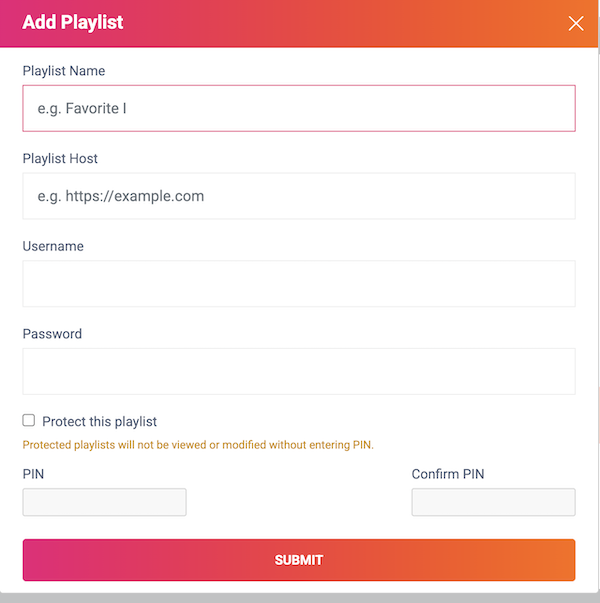
Create a playlist called EyePTV and enter either the full M3U link or the Xtream details we sent you, then save.
Go back to the app and use Reload, or close and reopen it.
Search Google Play for HotPlayer or Hot IPTV. Its own site says it is on Play, though whether it shows can depend on your device and country.

Open the app and write down the Your MAC value. HotPlayer links playlists to the device through this, the same way IBO does.

In the phone browser go to hotplayer.app/upload, enter the MAC address the app showed you and select Next.
Pick the source type that matches what we sent you — M3U link or Xtream details — name the playlist EyePTV and select Save.

Back in HotPlayer, select Refresh, or close and reopen it. Your Live TV, Movies and Series sections load from the playlist you just added.
The five things that go wrong on Android phones, and how to fix them.
Nine times out of ten it's a copied space at the end of a field. Paste each value again and check the very end of the server URL. Use exactly the http or https and the port number we sent — changing either breaks it.
Give it a minute on first load, then pull to refresh. If it's still empty, send us a screenshot of the account screen and we'll check the details against your subscription.
That's Android's battery optimisation closing the app. Open your phone's battery settings, find the player and set it to unrestricted.
Full HD needs a steady 10 Mbps and 4K needs 25. Mobile data can hit that and still stutter if the signal moves around. Try a lower-quality stream if your package offers one.
You can, but it's a poor substitute. Casting re-encodes the picture and drains the phone. If the TV is the real target, set the TV up directly — we have a guide for whatever it is.
Only if your plan includes more than one connection. Installing the app twice doesn't add one. Message us if you need a second stream.
Send us a screenshot on WhatsApp and tell us which of the three players you went with.
Get help on WhatsAppThe screenshots on this page come from public pages showing real player interfaces; each credits its source underneath. None are AI-generated. App availability and screen layouts vary by Android version, device and region. Checked August 2026.