Works on any Android box — branded or generic. Install Downloader from Google Play, let it install apps, then add IBO Player Pro and your EyePTV playlist. Nine steps, about ten minutes.
If your box has the Play Store, there is a simpler route. TiviMate installs straight from Google Play with no sideloading and no permission changes — see our Android TV guide. Use the steps below if you specifically want IBO Player Pro, or if your box has no Play Store and Downloader is the only way in.
The box online and signed in to a Google account.
The orange app published by AFTVnews.com. Free on Google Play.
Either the M3U link we sent you, or a server URL with a username and password.
Menu names differ a lot between Android box brands and Android versions, so follow the setting names rather than the exact path. IBO Player Pro is the player; EyePTV supplies the channels. The player may ask for its own trial or licence — that is separate from your EyePTV subscription.
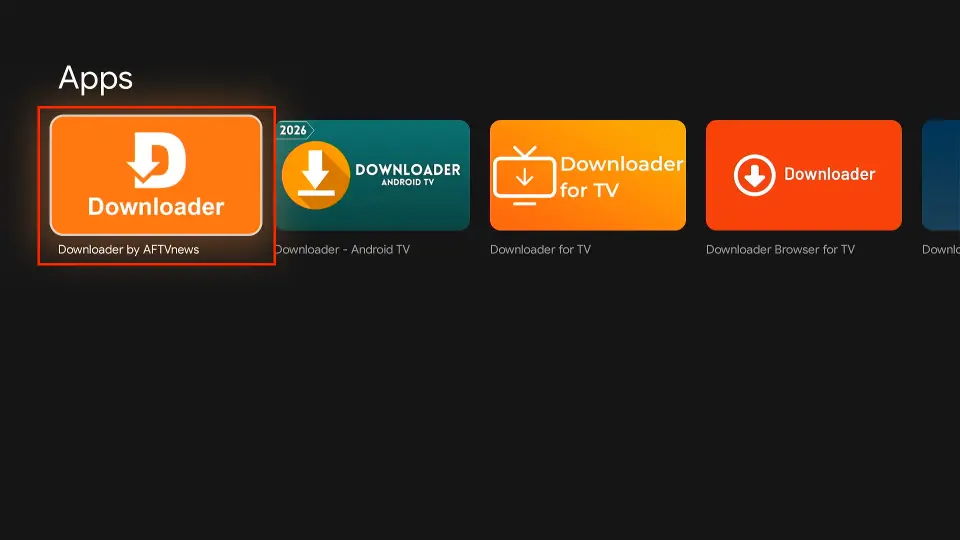
Open Apps → Google Play Store on the box and search for Downloader. Pick the orange Downloader by AFTVnews app — the publisher should read AFTVnews.com.
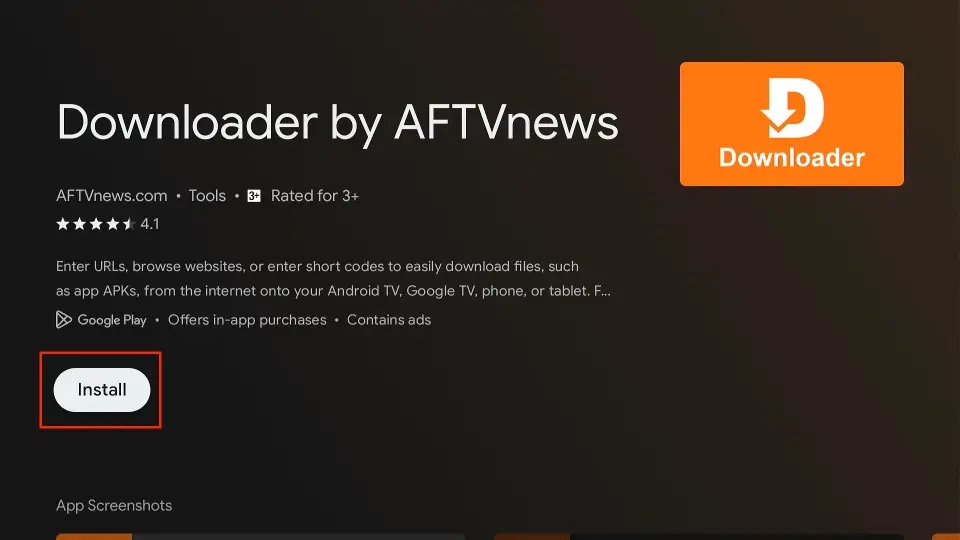
Select Install, wait for it to finish, then select Open.
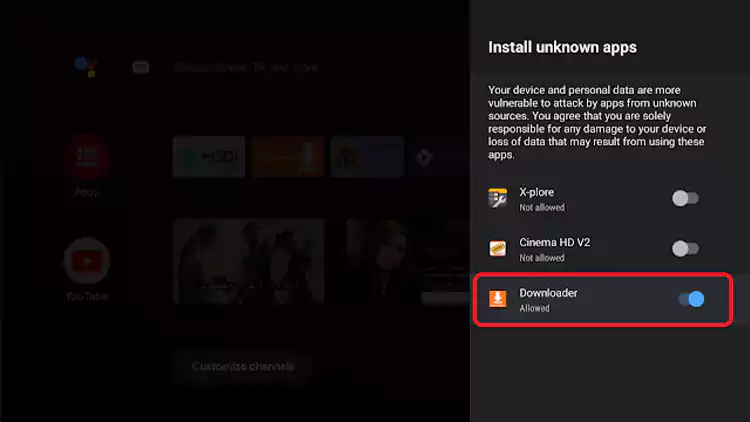
Android will block the install unless you allow it. When the warning appears choose Settings, find Downloader and switch it to Allowed.
You can also set it up front under Settings → Apps → Special app access → Install unknown apps.
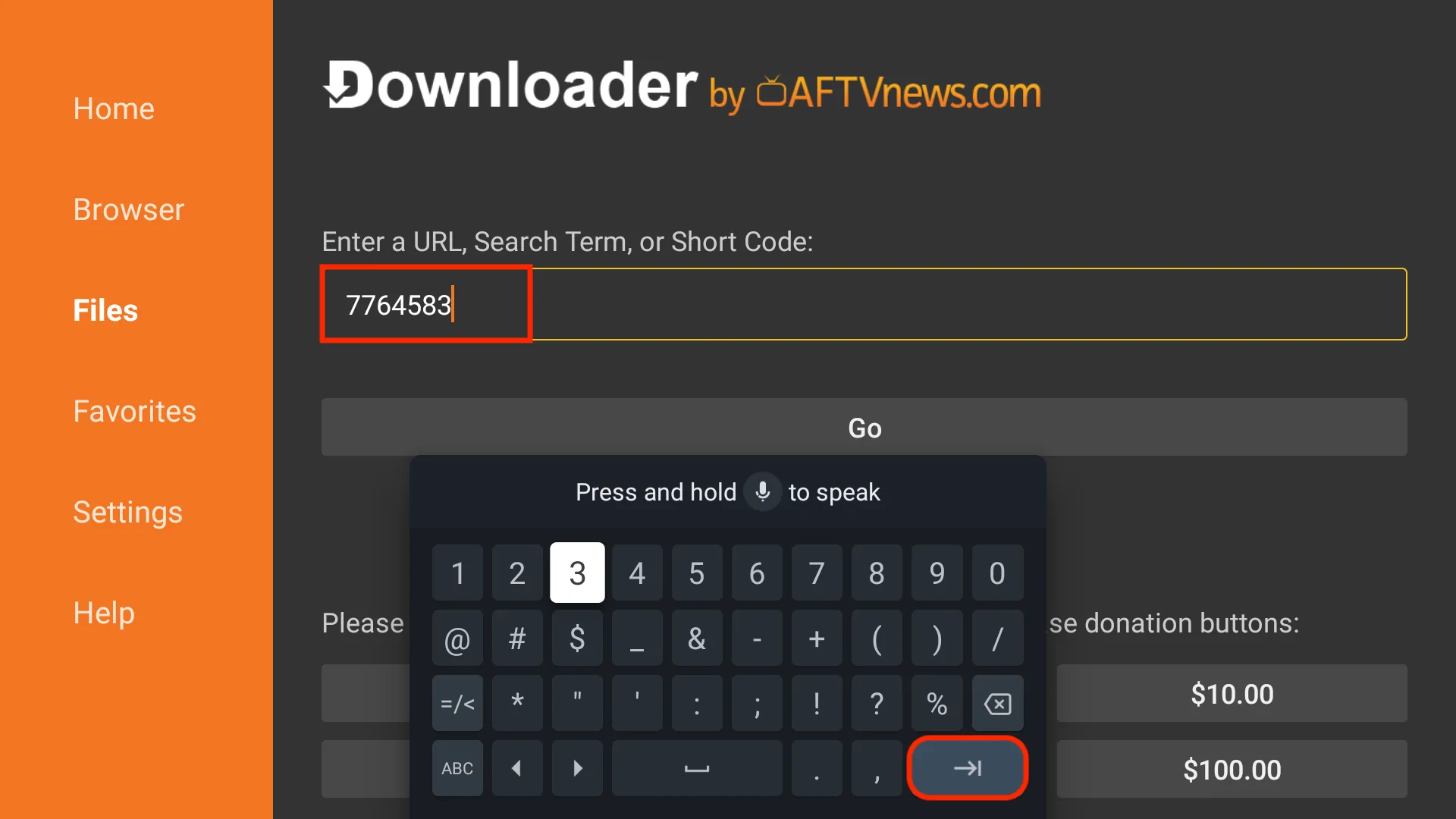
In Downloader, type 481220 and select Go. The direct address works too: https://iboproapp.com/ibopro.apk.

Wait for the download to finish, then select Install. When Android confirms it, choose Open.
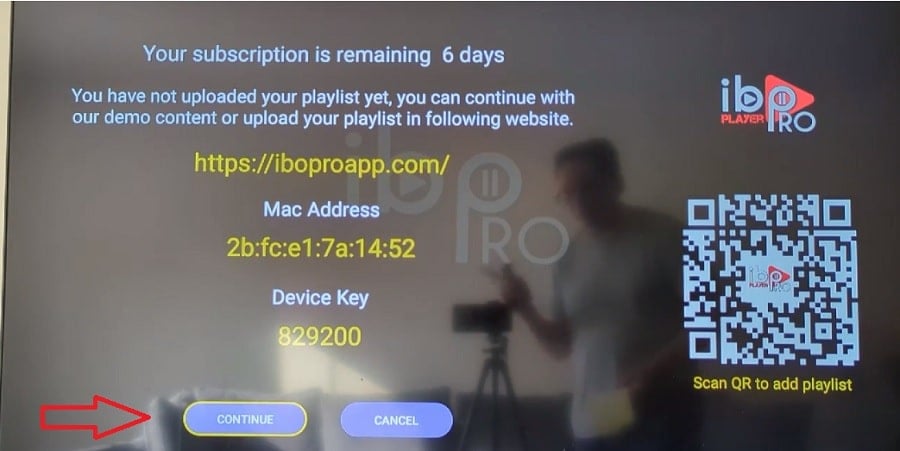
Open IBO Player Pro. It shows a MAC Address / Device ID and a Device Key. Photograph the screen or copy both down exactly.
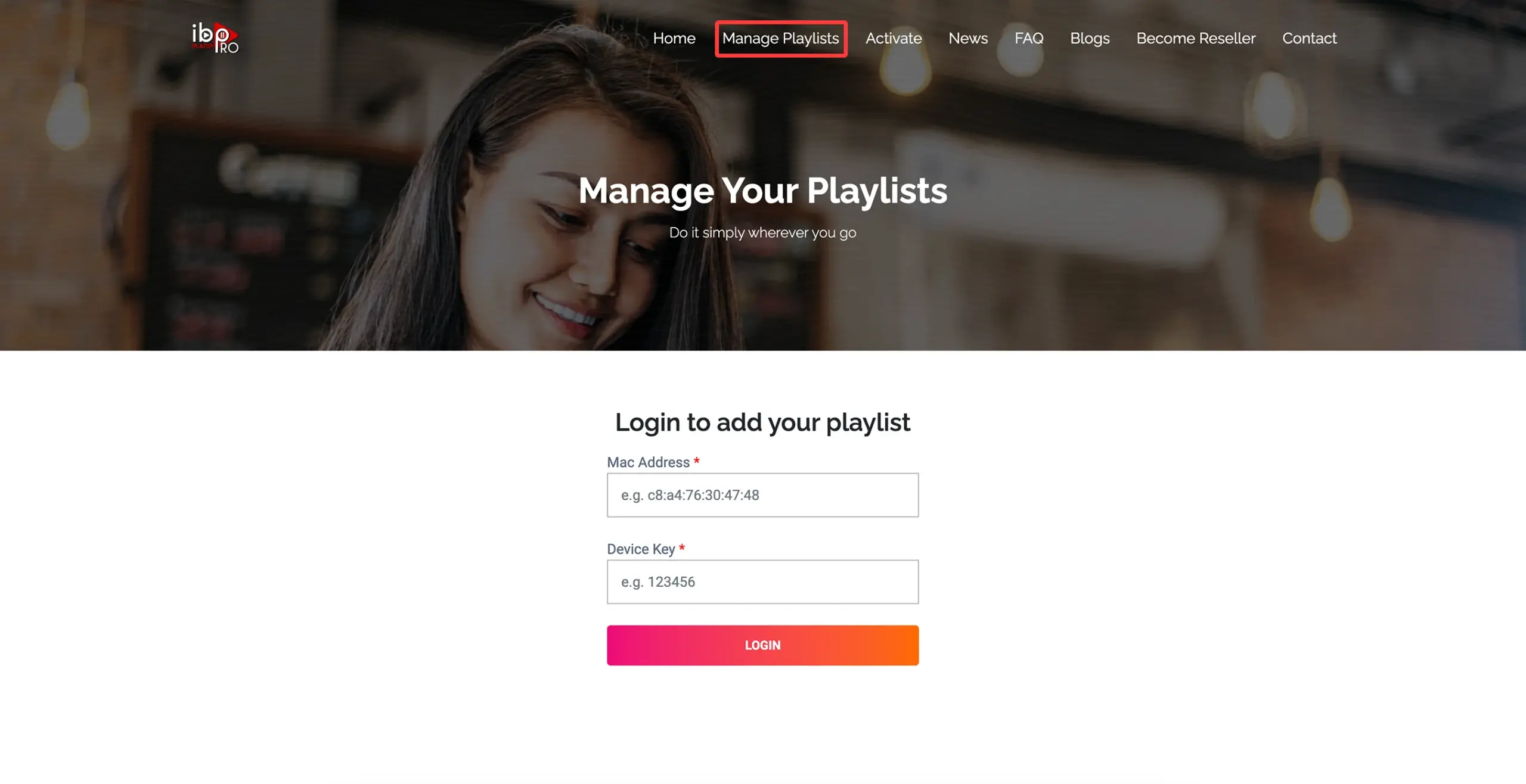
On a phone or computer, open the Manage Playlists page shown on the TV screen and sign in with those two values.
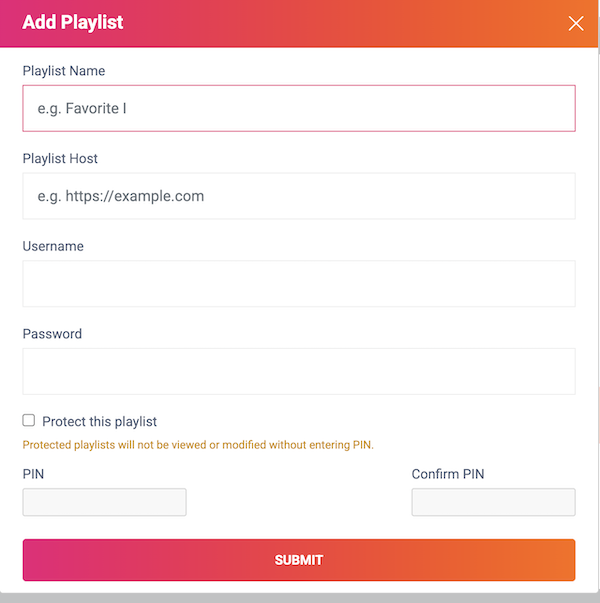
Create a playlist named EyePTV, then fill in whichever details we sent you:
M3U / M3U8 — paste the complete playlist URL. Xtream Codes — enter the server host, username and password. Then select Save.
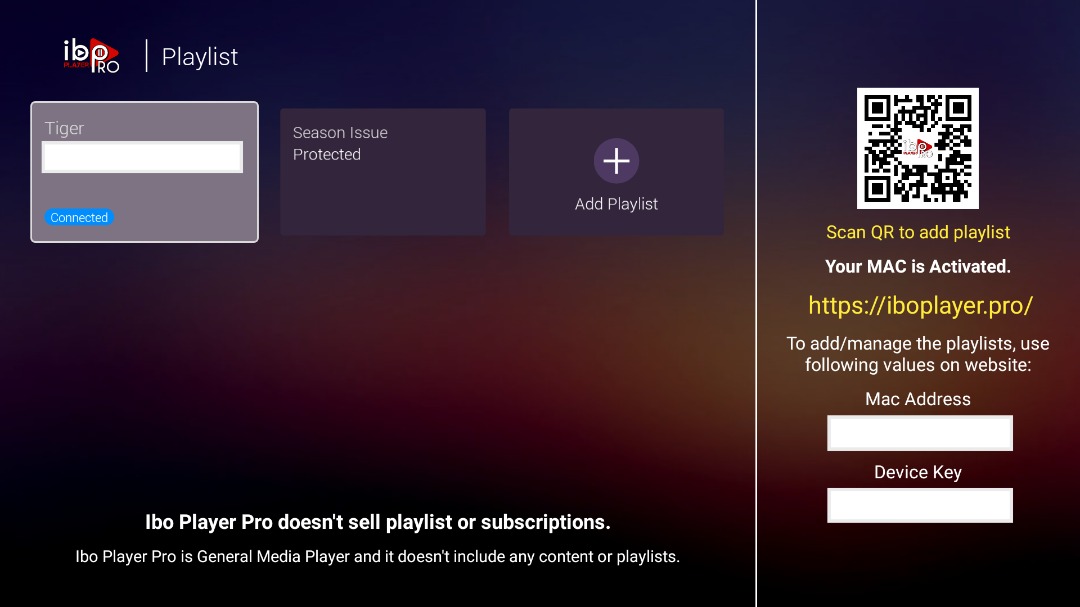
Close IBO Player Pro and open it again. If the app offers Reload, Refresh or Change Playlist, use it.
Your Live TV, Movies, Series and TV guide load. Done — and don't forget to switch Install unknown apps back off.
Generic Android boxes vary more than any other device. These cover most of it.
Search the full name Downloader by AFTVnews. Some cheap uncertified boxes ship with mobile Android or no proper Play Store for TV at all — if yours has no Play Store, message us and we'll send the file another way.
That's Android doing its job. Select Settings from the warning itself, find Downloader and switch it to Allowed, then go back and the install continues.
Downloader 2.x redesigned its TV interface. Press the # button beside the address bar to open the short-code keypad, then enter 481220.
Type the full address instead: https://iboproapp.com/ibopro.apk. If that also fails, stop — don't use random codes or APK mirrors. Message us and we'll confirm the current one.
Expected until you add a playlist. Go back through steps 6 to 9 and check the MAC and Device Key were entered on the right device in Manage Playlists.
Yes. Once the player is installed, go back to Install unknown apps and switch Downloader off. Everything keeps working, and nothing else can quietly install software on the box.
Send us a photo of your screen on WhatsApp. Tell us your box brand and whether you're using M3U or Xtream Codes.
Get help on WhatsAppThe screenshots on this page come from public pages showing real Android TV, Downloader and IBO interfaces; each credits its source underneath. None are AI-generated. Menu names differ between box brands and Android versions. Downloader listing and IBO code checked August 2026 (Downloader published by AFTVnews.com, updated 30 July 2026) — codes can change, so tell us if it stops working.