Amazon's app store does not carry IPTV players, so a Firestick takes one extra step: install Downloader, allow it to install apps, then add IBO Player Pro and your EyePTV playlist. Eleven steps, about fifteen minutes.
Check your model first. This guide works on Fire TV devices running Fire OS, which lets you install apps from outside Amazon's store. Amazon has begun shipping newer Fire TV Sticks on Vega OS, which does not. If your device has no Install Unknown Apps option under Developer Options, it is almost certainly a Vega model and this method will not work on it — message us and we'll tell you what does.
Connected to the internet and signed in to your Amazon account.
The official orange Downloader app. It's free in Amazon's own store.
Either the M3U link we sent you, or a server URL with a username and password.
IBO Player Pro is the player; EyePTV is the service that supplies your channels. The app has none of its own. It normally starts with a trial and may ask for its own licence afterwards — that licence is not part of your EyePTV subscription.
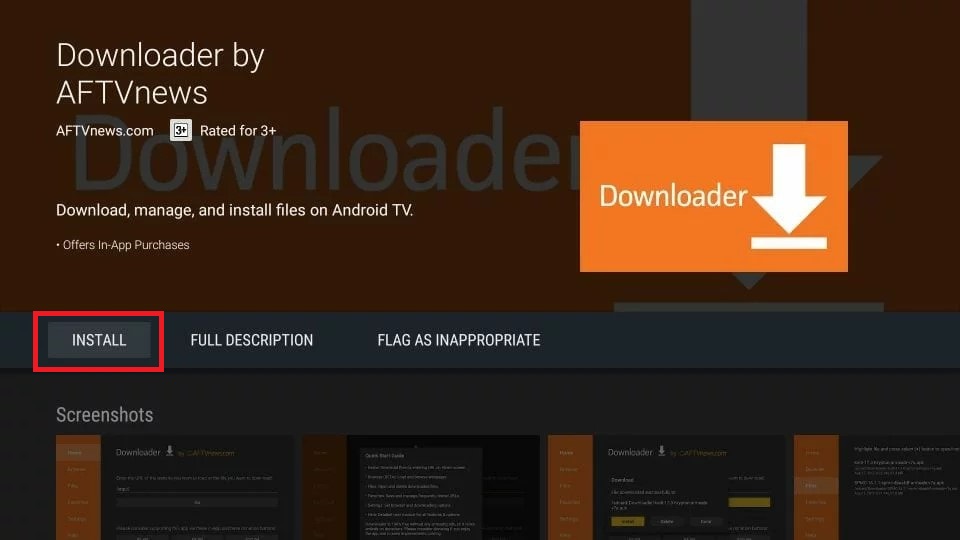
From the Fire TV home screen select Find → Search and type Downloader. Pick the orange Downloader by AFTVnews app and select Get or Download.

Go to Settings → My Fire TV (called Device & Software on some models) and open Developer Options.

Inside Developer Options choose Install Unknown Apps. Older Fire OS versions call this Apps from Unknown Sources instead.

Find Downloader in the list and turn it ON. This lets Downloader hand the app file to the Fire TV installer.
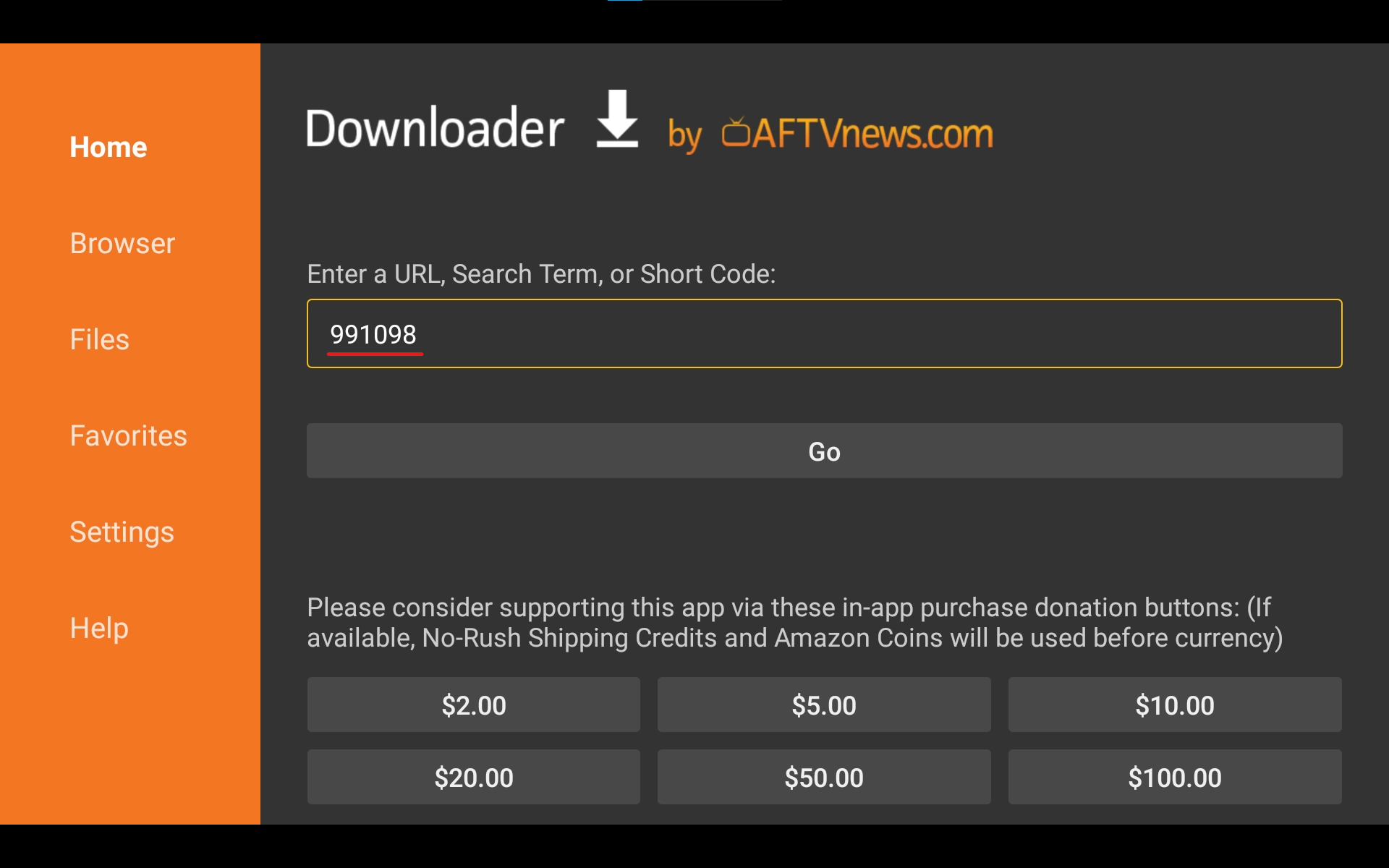
Open Downloader. On the Home screen select the field marked Enter a URL, Search Term, or Short Code.
Type 481220 and select Go. If you would rather type the full address, it is https://iboproapp.com/ibopro.apk.

Downloader fetches the file. When the Fire TV installer appears select Install, then Done or Open when it finishes.

Open IBO Player Pro. If Fire TV asks whether the app can access media or files, choose Allow — the player needs it to run.
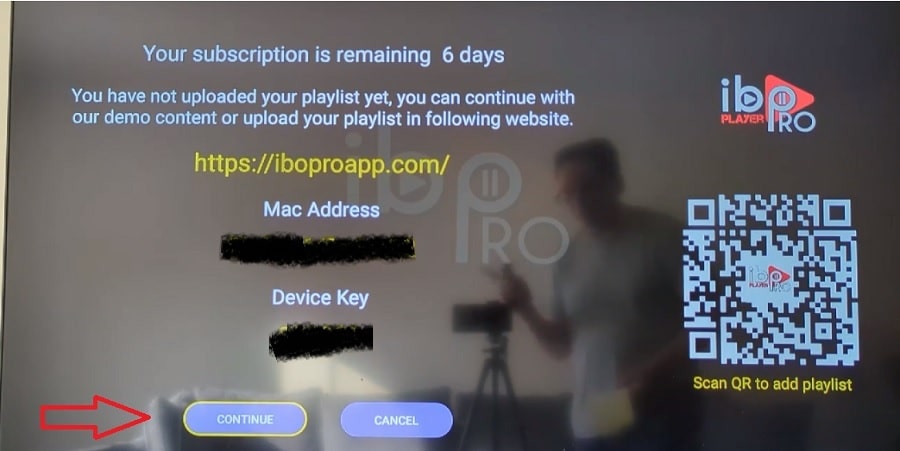
The player shows a MAC Address / Device ID and a Device Key. Photograph the screen or copy both down exactly.
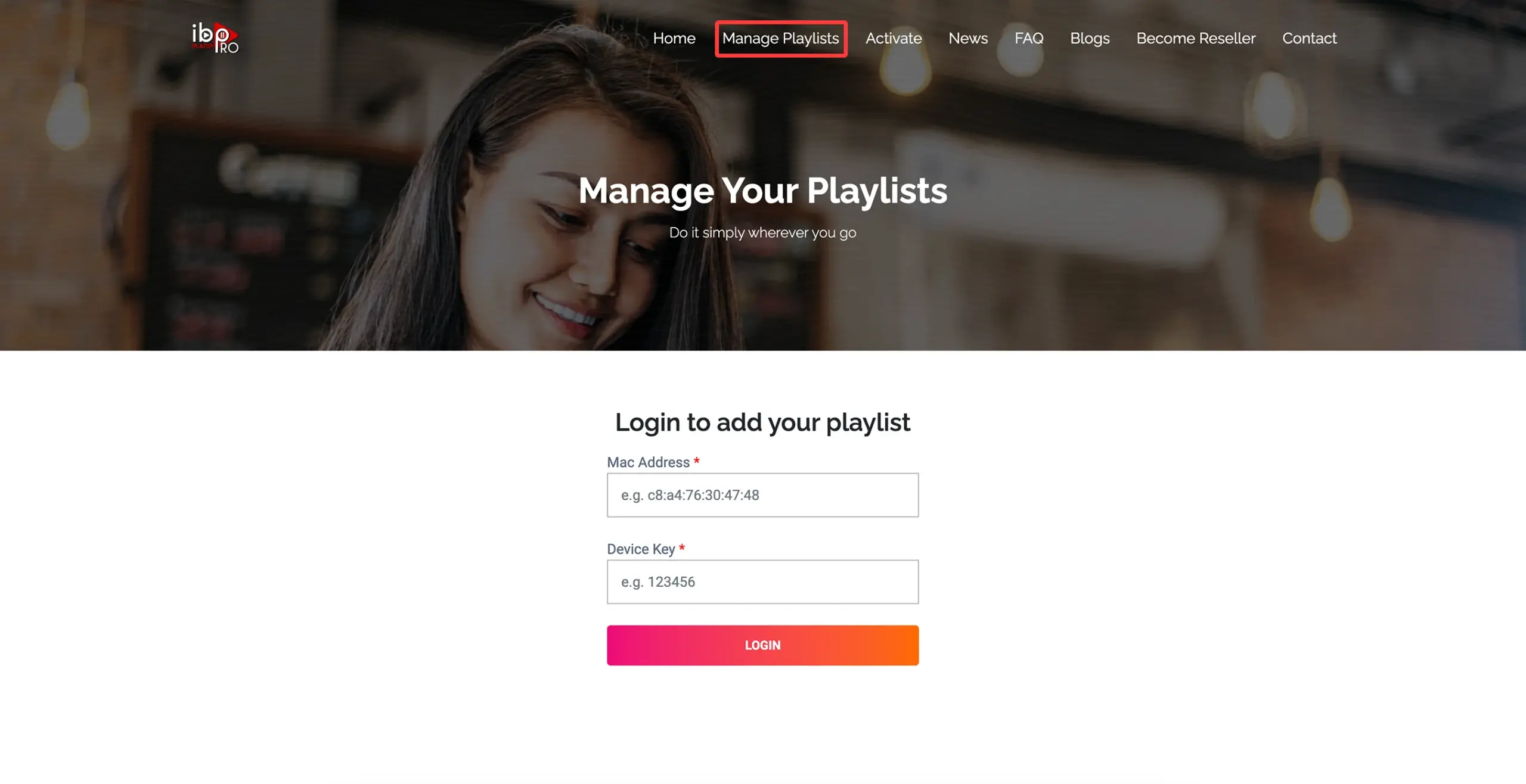
On a phone or computer, open the Manage Playlists page that your app shows on the TV screen, and sign in with those two values.
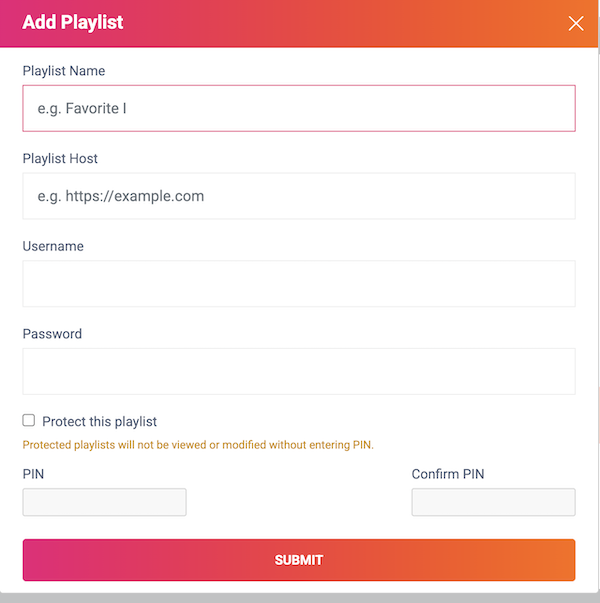
Create a playlist named EyePTV, then fill in whichever details we sent you:
M3U / M3U8 — paste the complete playlist URL. Xtream Codes — enter the server URL, username and password. Then select Submit.
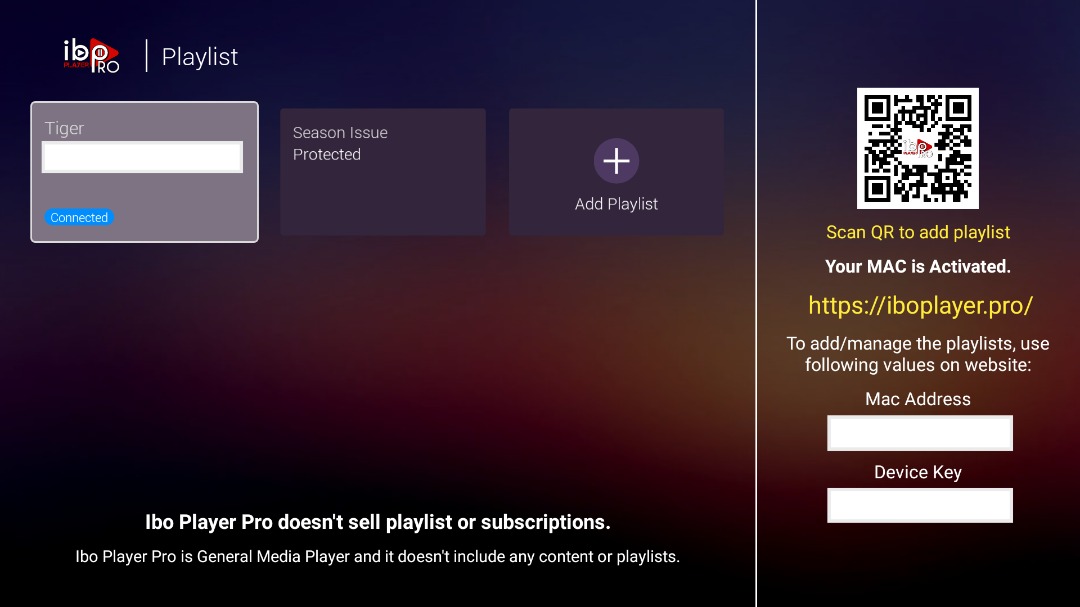
Back on the Fire Stick, close IBO Player Pro completely and open it again. If the app offers Reload, Refresh or Change Playlist, use it.
Your Live TV, Movies, Series and TV guide sections load. That's you done — and don't forget to switch Install Unknown Apps back off.
Five things that go wrong on Fire TV, and how to fix them.
Go to Settings → My Fire TV → About, highlight your device's name and press Select seven times. A message confirms developer options are on. Go back one screen and it will be in the menu.
Install Downloader first — the option only lists apps that already exist. On older Fire OS it may be called Apps from Unknown Sources. If neither is anywhere in the menu, your stick is likely a newer Vega OS model and cannot sideload at all.
Type the full address instead: https://iboproapp.com/ibopro.apk. If that also fails, stop — don't try a random code from a forum or a video. Message us and we'll confirm the current one.
That's expected until you add a playlist. IBO Player Pro is only a player. Go back through steps 8 to 11 and check the MAC and Device Key were entered on the right device in Manage Playlists.
Close the app fully and reopen it, then use Reload or Refresh. If it's still empty, the link was probably cut short when it was pasted. Send us a screenshot and we'll check it against your account.
Yes. Once IBO Player Pro is installed, go back to Developer Options → Install Unknown Apps and switch Downloader off. Everything keeps working, and nothing else can quietly install software on your Fire Stick.
Send us a photo of your TV screen on WhatsApp. Tell us your Fire Stick model and whether you're using M3U or Xtream Codes.
Get help on WhatsAppThe screenshots on this page come from public pages showing real Fire TV and IBO interfaces; each credits its source underneath. None are AI-generated. Fire TV menus differ by model and Fire OS version. Downloader code and APK address checked August 2026 — both can change, so tell us if the code stops working.