The IPTV app we recommend on Samsung TVs is IBO Player Pro. Install it from the Samsung App Store on Tizen OS, connect your EyePTV playlist with the Device Key, then reload the player. Seven steps, about ten minutes.
Your TV needs to be on Wi-Fi or Ethernet before you start.
Current Samsung models require a signed-in account to install apps from Smart Hub.
Have the M3U / M3U8 link we sent you on WhatsApp open and ready to paste.
Two separate things. IBO Player Pro is the media player that runs on your TV. EyePTV is the service that supplies your playlist. The player does not include any channels on its own — it needs the playlist we send you. Samsung's listing shows IBO Player Pro is free to try for 7 days; any app licence after that is separate from your EyePTV subscription.
Samsung's menus look slightly different depending on the TV's year, region and software version, so follow the button names rather than the exact layout: Home → Apps / Search → IBO Player Pro → Install → Open.
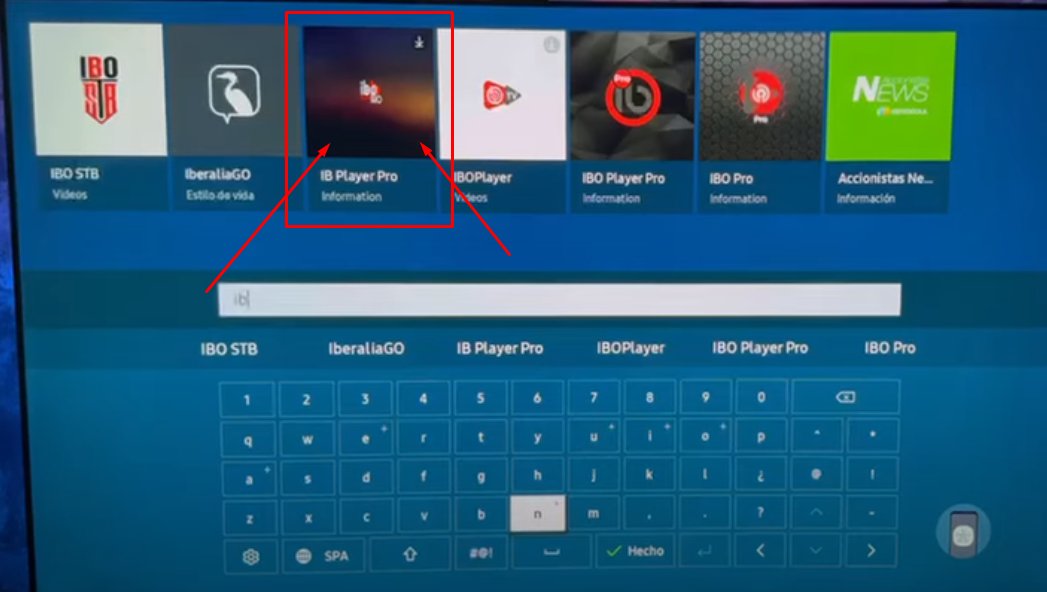
Press the Home button on your Samsung remote. Open Apps, or select the Search icon, then type IBO Player Pro.

Choose the tile named IBO Player Pro. Samsung lists it under the Information category, with the seller shown as IBoDev / Mimocodes.
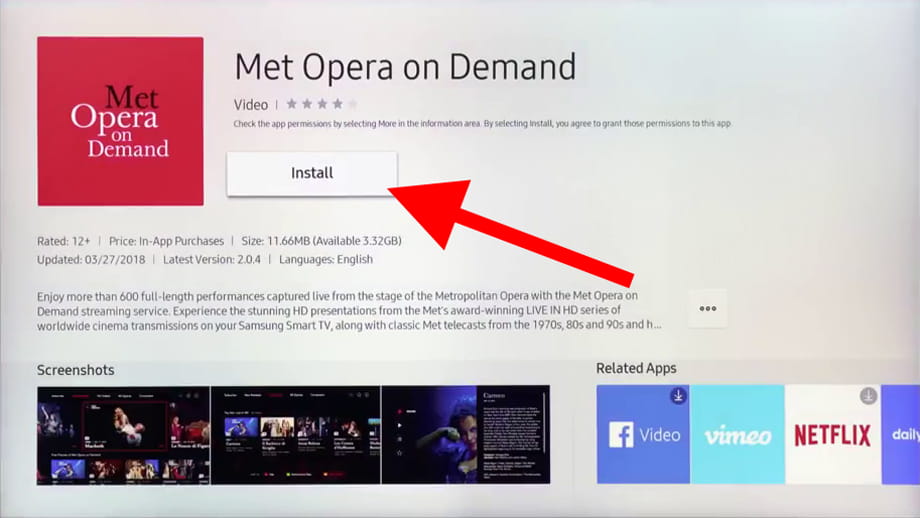
On the app details page select Install. When it finishes, select Open. Choose Add to Home as well so the player is easy to find next time.
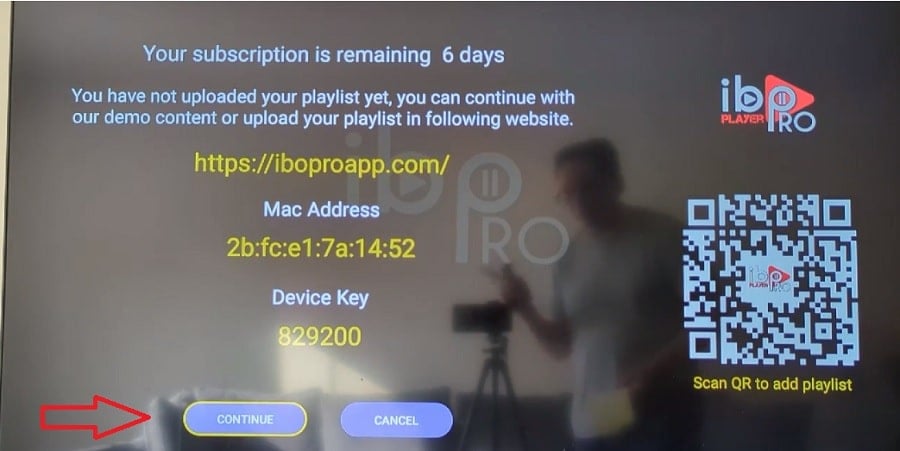
The first time IBO Player Pro opens it shows a MAC Address / Device ID and a Device Key. Take a photo of this screen, or copy both values down exactly.
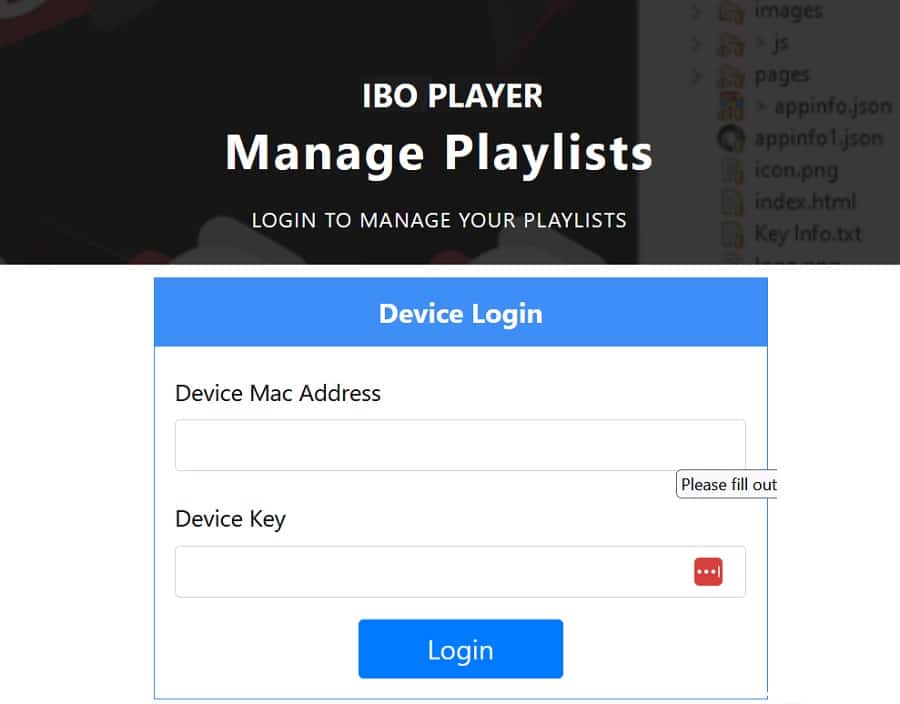
Go to iboplayer.com/device/playlists. Enter the same MAC / Device ID and Device Key shown on your TV, then select Login.
After logging in, choose Add Playlist. Give it a simple name such as EyePTV, then paste the M3U or M3U8 URL we sent you on WhatsApp into the Playlist URL field.
If we also sent you an EPG / XMLTV link, paste it into the optional EPG field. Then select Save.
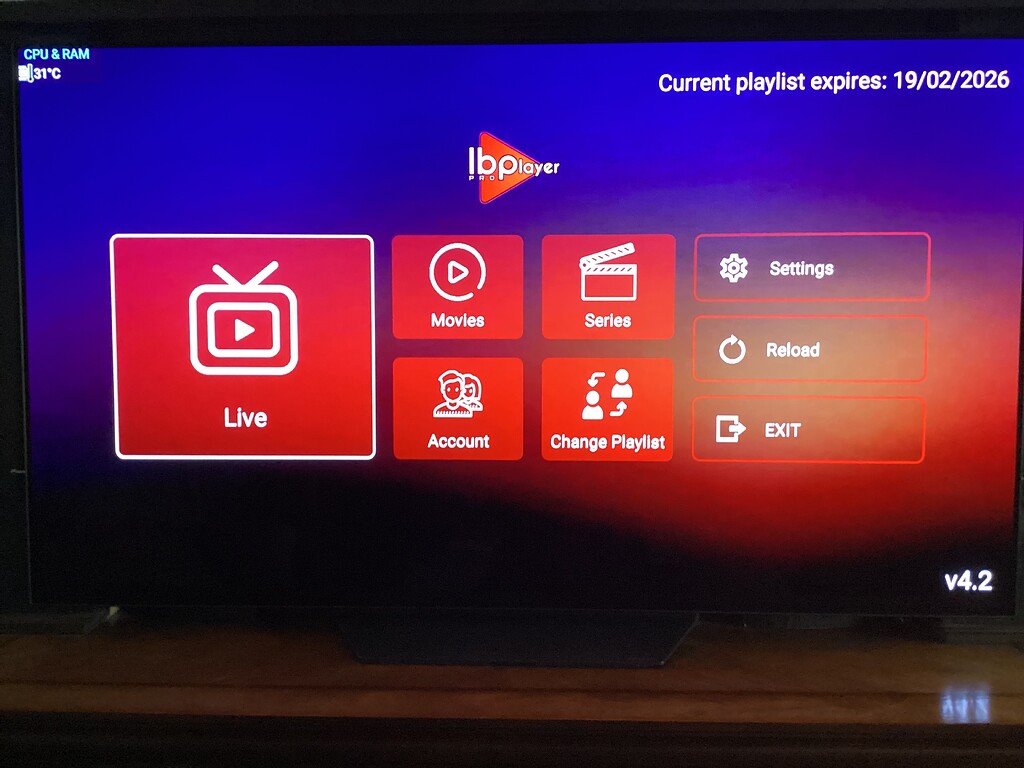
Go back to your TV. Close IBO Player Pro completely, then open it again. If the player has a Reload or Change Playlist option, use it.
Once the playlist loads you will see Live TV, Movies and Series. That's it — you're set up.
The three things that go wrong most often, and how to fix them.
App availability changes by country, TV model and software version. Check that your TV is online, signed into a Samsung account and up to date. If it still doesn't appear, message us — we'll point you to another player that works on your model, or to a cheap external stick.
Reopen IBO Player Pro on the TV and compare every character. The letter O and the number 0 are the usual culprits. Also check you're on the management site your app actually displays — IBO-branded players don't all use the same portal.
Close the player fully and reopen it, then try Reload or Change Playlist. If it's still empty, the M3U link was probably cut short when it was pasted. Send us a screenshot and we'll check it against your account.
Send us a photo of your TV screen on WhatsApp and we'll tell you exactly what to press next.
Get help on WhatsAppThe screenshots on this page come from public pages showing real Samsung and IBO interfaces; each one credits its source underneath. None are AI-generated. Interface appearance varies by Samsung model, year, region and app version. App details were checked against Samsung's listing (version 1.2.2, updated 21 May 2026).