Yes. A Dreambox running Enigma2 handles IPTV natively through a plugin — no extra hardware and nothing plugged into the HDMI port. Install XStreamity from your image's plugin feed, add your EyePTV login, and Live TV, movies, series and catch-up appear inside the Dreambox interface alongside your satellite channels. Seven steps, about ten minutes.
You need Xtream Codes details, not an M3U link. XStreamity is built around separate server URL, port, username and password fields. One long get.php playlist link pasted into the Server URL box will always fail. If that is all you have from us, message us — we can normally pull the separate values from the same account.
Running an image such as OpenPLi, OpenATV, DreamElite, Newnigma2 or Merlin. Recent tutorials cover DM920, DM900, DM7080, DM820 and DM525.
The box must be online to pull the plugin feed and reach our server.
Server URL, port, username and password — as four separate values.
XStreamity is a player, nothing more. Its own developers state the plugin ships with no channels and no playlists — you supply your own provider details. EyePTV is that provider.

Press Menu → Plugins. On OpenPLi and most Enigma2 images the Green button downloads or browses the available plugin feed.
Look under Extensions for XStreamity and install it.
When the install finishes, restart the GUI or reboot the box.
Don't skip this. XStreamity often won't appear in the menu until Enigma2 reloads, and people reinstall it two or three times before realising that is all it needed.
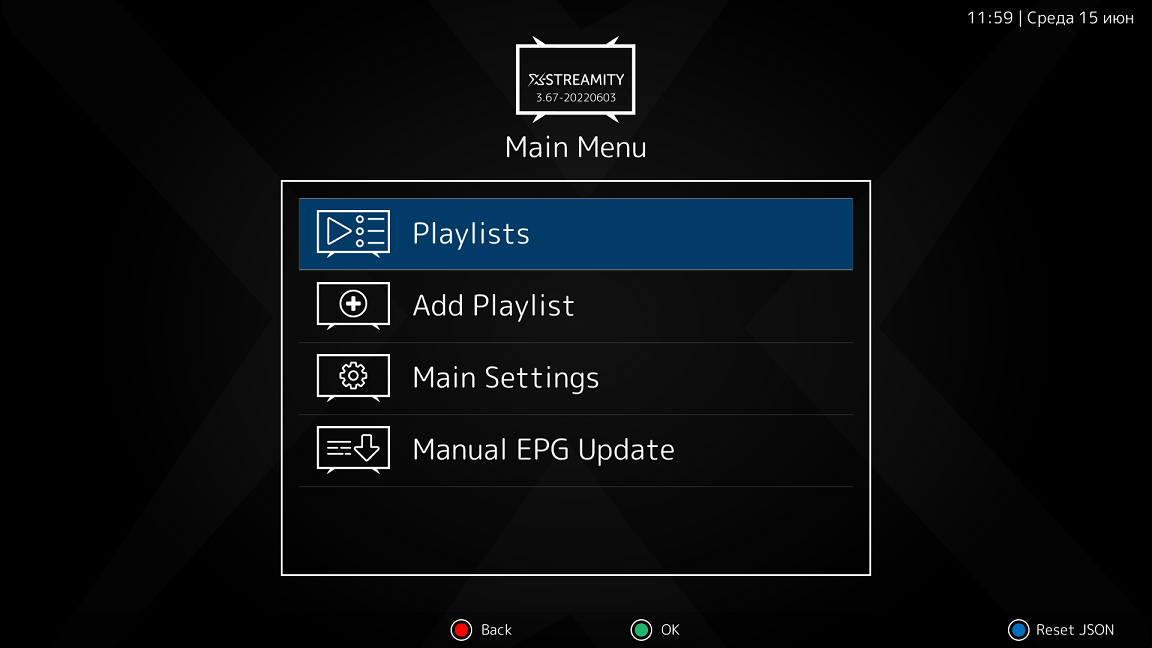
Launch XStreamity from the Dreambox menu. On the main screen choose Add Playlist and press OK.
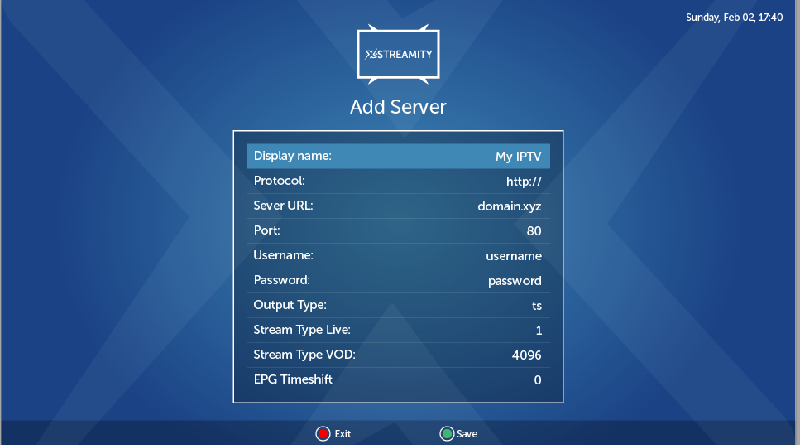
Fill the fields separately, exactly as we sent them: Display name — type EyePTV. Protocol — http:// or https://. Server URL — the host on its own. Port, Username, Password.
Leave the other stream settings at their defaults unless we tell you otherwise, then press Green to save.
get.php playlist link into it — XStreamity builds that itself from the separate fields. This is the single most common reason a Dreambox setup reports “invalid”.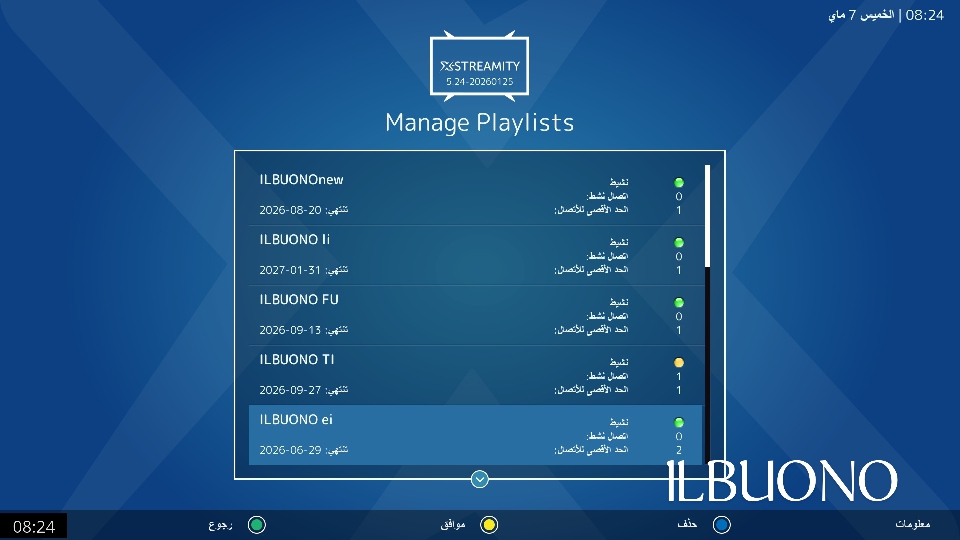
Go back to Playlists. Your EyePTV account appears in the list, usually with its expiry date and connection limit if our server reports them.
Highlight EyePTV and press OK.

XStreamity shows the sections your package includes — Live Streams, VOD / Movies, TV Series and Catch Up TV.
Open Live Streams, choose a category, pick a channel and press OK. Programme information appears alongside it wherever our server provides guide data.
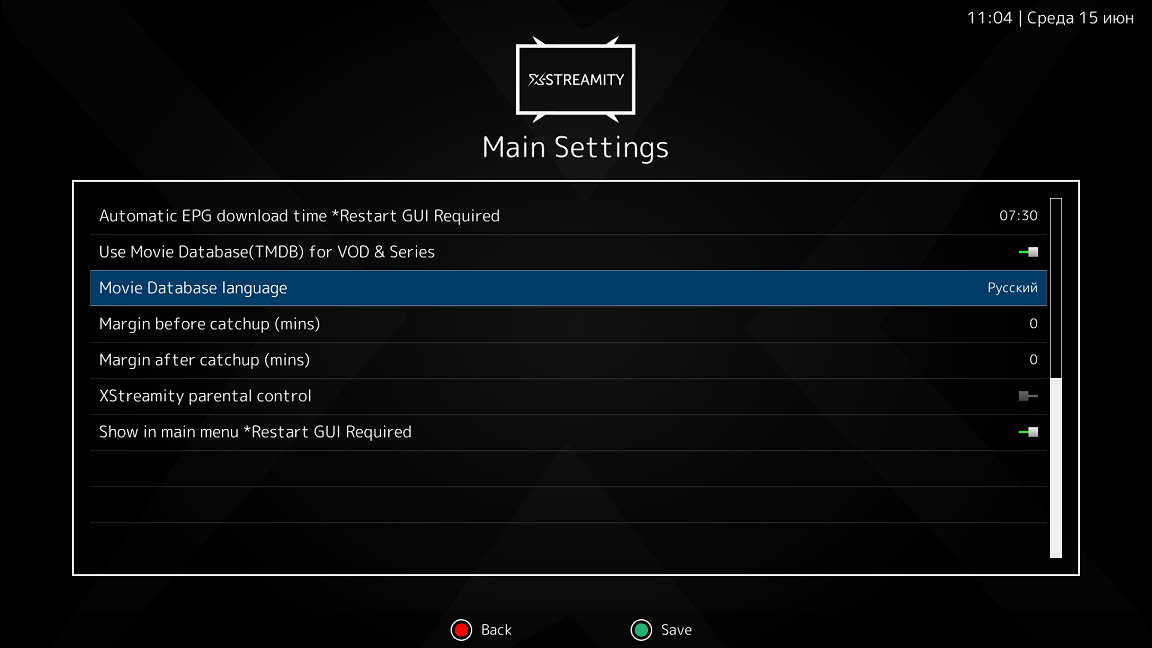
If the TV guide is missing, go back to the XStreamity main screen and run Manual EPG Update. Give it time — a full guide download is not instant.
Under Main Settings you can set the automatic EPG download time along with the playback options. Worth setting once so the guide keeps itself current.
Dreambox software varies a lot by model and image, and XStreamity is not in every plugin feed. If it isn't in yours, you can install the package by hand and restart Enigma2 — but the package has to match your image.
DreamOS and other Debian-based images use .deb. Most other Enigma2 images use .ipk. Installing a package built for a different image or a different architecture is the usual way people end up with a broken plugin menu, so check before you install rather than after.
Use the maintained XStreamity project or the package your image's community recommends. If you are not comfortable doing this, message us with your model and image and we'll tell you whether it's worth attempting on your box.
Six things that go wrong on Dreambox, and how to fix them.
Restart the Enigma2 GUI, or reboot the box. Then check under both Menu and Plugins — different images file it in different places. This is almost always the fix.
Check Protocol, Server URL, Port, Username and Password one field at a time. The usual cause is a full get.php link pasted into Server URL, or the port typed into the URL field instead of the port field.
XStreamity is designed around Xtream Codes server details rather than a playlist link. Message us — we can normally read the server, username and password out of the account you already have.
Test on Ethernet rather than Wi-Fi first, then reboot the box. If it persists, try a different stream type or playback engine in XStreamity's settings — some Dreambox images run better with ServiceApp.
Run Manual EPG Update and let it finish — it takes longer than people expect. If you changed EPG settings first, restart the GUI afterwards.
Catch-up has to be provided by the source for that specific channel; the plugin can't create it. Tell us which channel and we'll check whether it carries catch-up on your package.
Message us with your exact Dreambox model (DM900, DM920, DM525, Dreambox One, Dreambox Two) and the image you're running — OpenPLi, OpenATV or otherwise. That tells us most of what we need.
Get help on WhatsAppThe screenshots on this page come from public pages showing real XStreamity and Enigma2 interfaces; each credits its source underneath. None are AI-generated. Menus differ between Dreambox models and images. Checked August 2026.