Three App Store players work with EyePTV on MacBook, iMac and Mac mini. Which ones you can install depends on your chip, so check that first — it takes ten seconds and saves you downloading something that won't run.
Check your chip before you download anything. Click the Apple menu → About This Mac. If it says Apple M1, M2, M3 or M4, all three players below will install. If it says Intel, only Hot Player will — the other two are iPad apps that Apple only allows on Apple silicon, and they won't appear or won't install on an Intel Mac. That is Apple's rule, not ours, and there is no way around it.
All three are players. None include channels — they play the login we give you. Pick one and follow only that option below.
Our pick if you're on Apple silicon. Login goes straight in the app, no website step. Same app we recommend on iPhone, iPad and Apple TV, so one account covers your whole Apple setup.
Worth it only if you already hold an IBO licence from a TV or box. The playlist is added on a website using the device key rather than in the app, so it's a few steps more.
The only one of the three that runs on an Intel Mac. Playlist goes on through hotplayer.app using the device ID. Works on Apple silicon too if you prefer it.
Smarters and ibo Pro are listed as Designed for iPad in the Mac App Store. That's normal — Apple lets Macs with Apple silicon run compatible iPhone and iPad apps, which is why the window can look like an iPad app. It isn't a sign you installed the wrong thing.
The steps below restart at 1 for each option. Follow one set start to finish and ignore the others. On an Intel Mac, skip to Option 3.
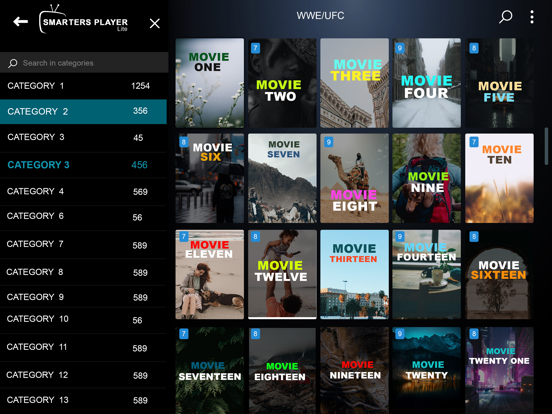
Search for Smarters Player Lite and check the developer reads WHMCS SMARTERS — App Store ID 1628995509. Needs macOS 12.5 or later on an Apple M1 chip or newer.
It runs as the iPad build, so the window may look like an iPad app rather than a normal Mac one. That's expected, not a fault.
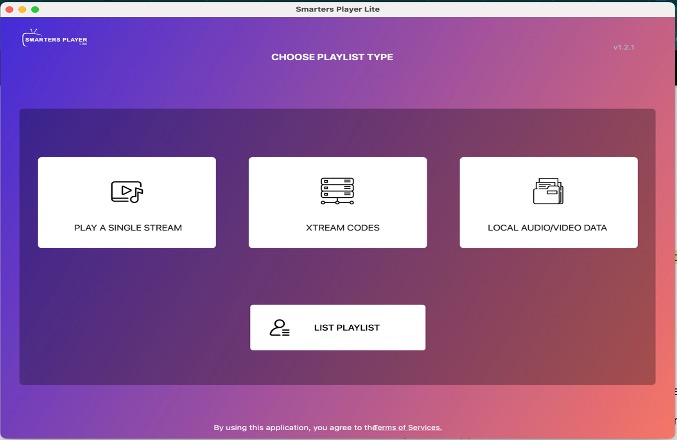
Open the app and pick Xtream Codes or Login with Xtream Codes API.
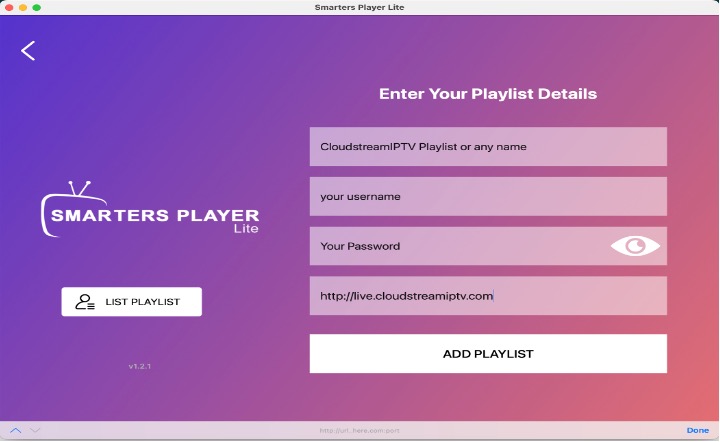
Any Name: type EyePTV. Then the Username, Password and Server URL exactly as we sent them. Click Add User and wait for Live TV, Movies, Series and the guide to load.
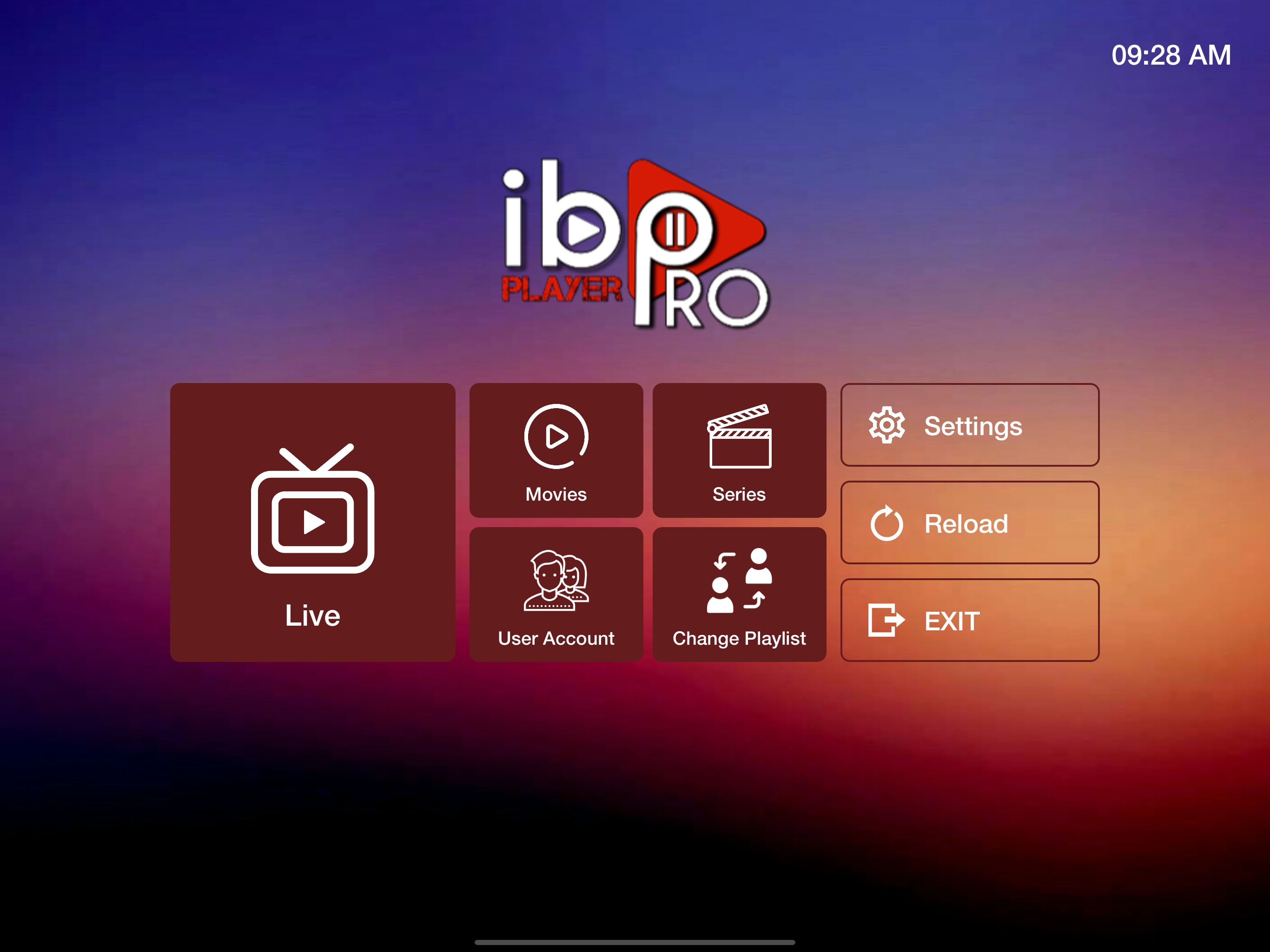
Search for ibo Pro Player and check the developer reads IRBOETECH CO. LTD — App Store ID 6449647925. Needs macOS 12.0 or later on an Apple M1 chip or newer.
Pick this only if you already hold an IBO licence from a TV or box. Otherwise Option 1 is fewer steps.
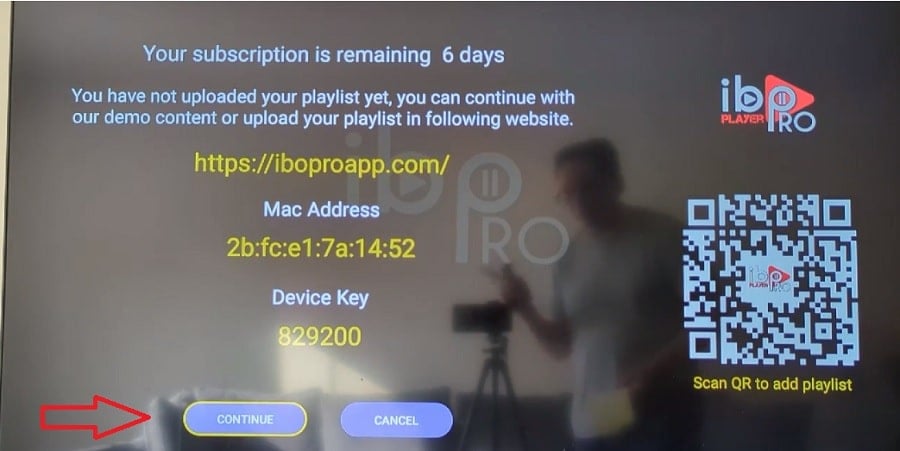
Open the app and write down the MAC Address / Device ID and Device Key it shows. Keep them private — they work like a password for your player.
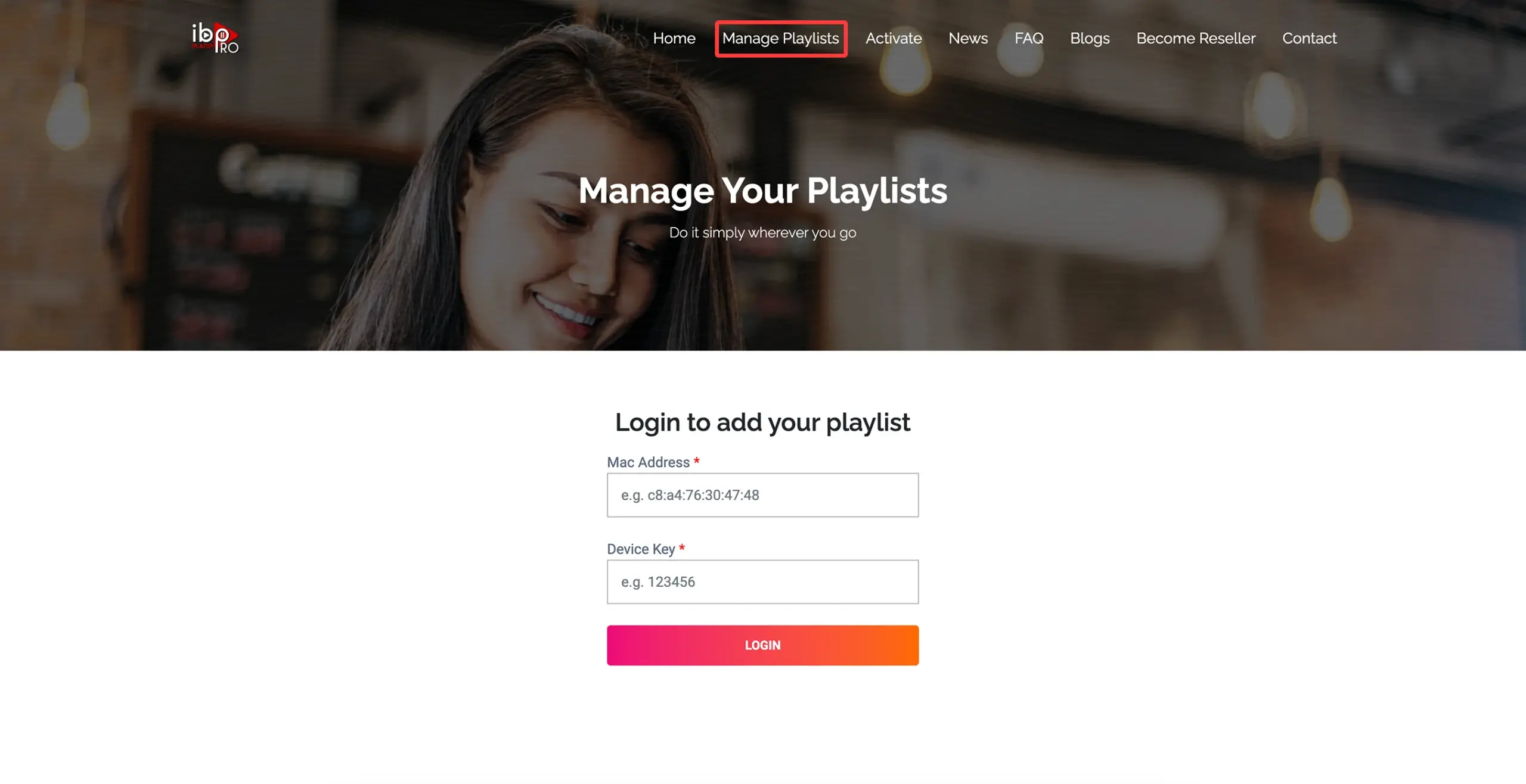
This app manages playlists on a website rather than in the app. Open the address the app shows on screen, sign in with those identifiers, create a playlist named EyePTV and paste the full M3U / M3U8 URL we sent you. Save.
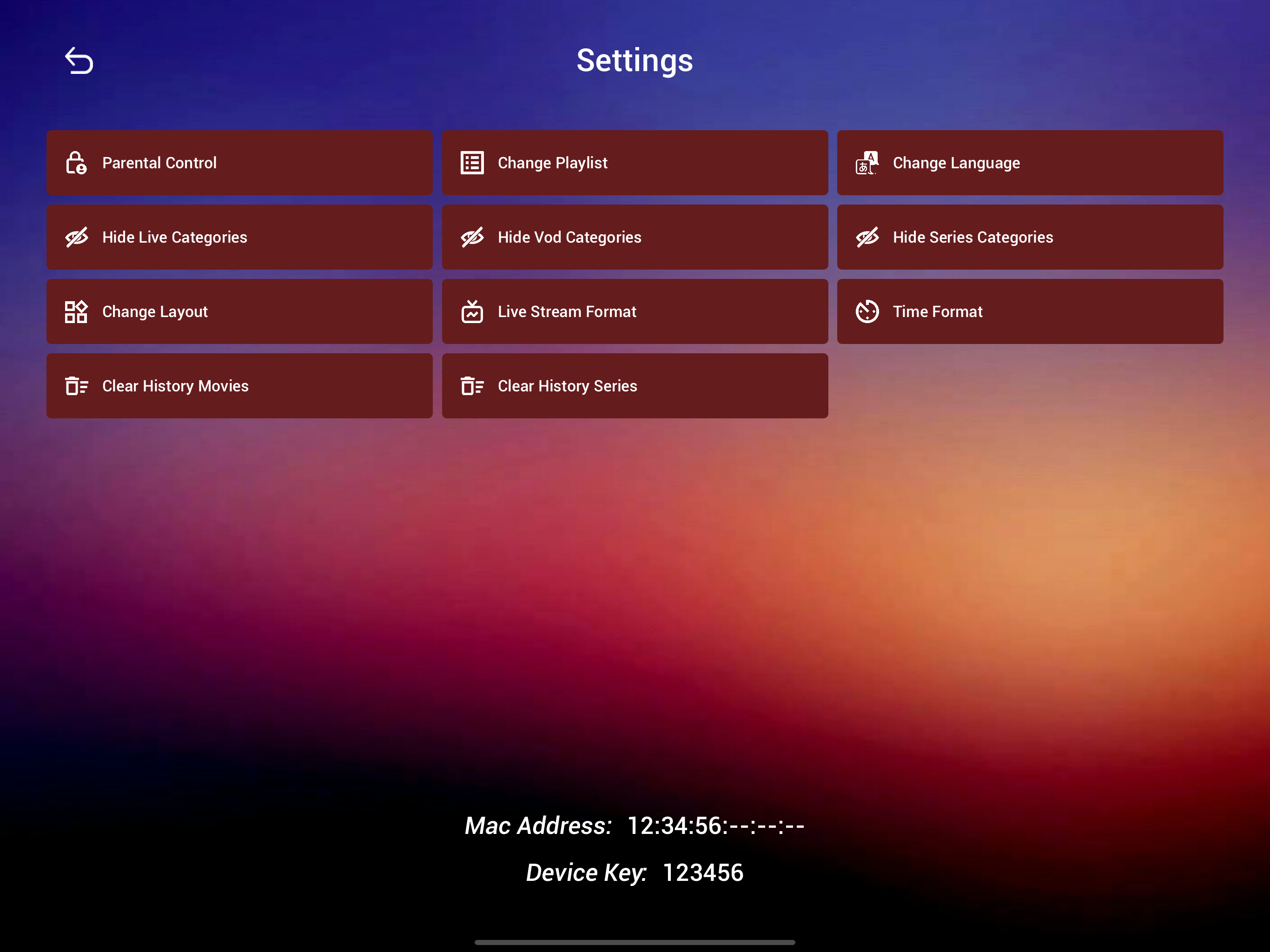
Go back to ibo Pro Player and use Reload or Refresh, or quit and reopen it. Your EyePTV content appears.
Search the Mac App Store for Hot Player and check the developer reads STE DIGI VIBES — App Store ID 6695762404. Apple lists it for macOS 10.15 or later.
This is the one to use on an Intel Mac. The other two need Apple silicon and will not install at all.
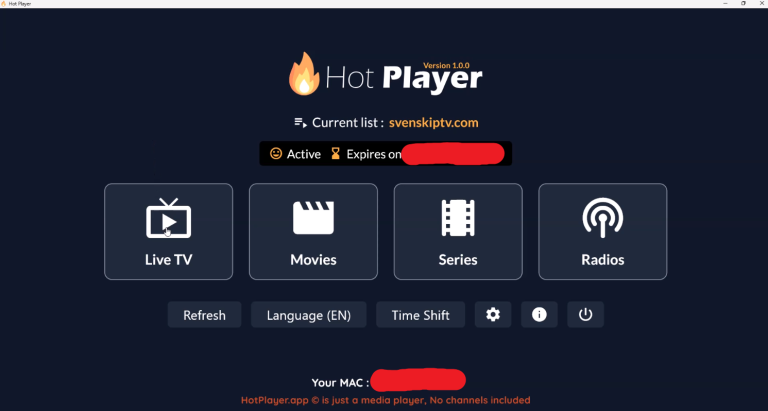
Hot Player shows a device ID / MAC. Copy it exactly — this is what attaches your playlist to this Mac.

Go to hotplayer.app/upload, enter the device ID, then choose Xtream Codes or M3U to match what we sent you.
Name the playlist EyePTV and save.
Back in the Mac app, click Refresh, or quit and reopen it. Your EyePTV Live TV, Movies and Series load.
The six things that go wrong on Mac, and how to fix them.
Check Apple menu → About This Mac. If it says Intel, those two can't run — Apple restricts them to Apple silicon. Use Hot Player instead, which supports macOS 10.15 and up.
Because it is the iPad build. Apple silicon Macs can run compatible iPhone and iPad apps, and Apple labels them that way in the Mac App Store. Nothing is wrong — the window just looks like an iPad app.
Almost always a copied space at the end of a field. Paste each value again and check the very end of the server URL. Use exactly the http or https and the port number we sent you.
Give it a minute on the first load, then refresh. If it's still empty, send us a screenshot of the account screen and we'll check the details against your subscription.
Re-check the device ID on the Mac matches the one you entered on hotplayer.app, save the playlist again, then click Refresh. Quitting and reopening the app forces it.
Only if your plan includes more than one connection. Installing the app in two places doesn't add one. Message us if you need a second stream.
Send us a screenshot on WhatsApp. Tell us whether your Mac is Apple silicon or Intel and which app you tried — that's usually enough for us to spot it.
Get help on WhatsAppThree of the screenshots come from the apps' own App Store listings; the rest come from public pages showing these players, and each credits its source underneath. None are AI-generated. Where a current macOS screen wasn't publicly available we've used an interface example from the same app on another platform, and said so in the caption. App Store IDs, developers and chip requirements checked August 2026.